How Does Search Engine Indexing Work?
SERPView Team
SEO Analytics
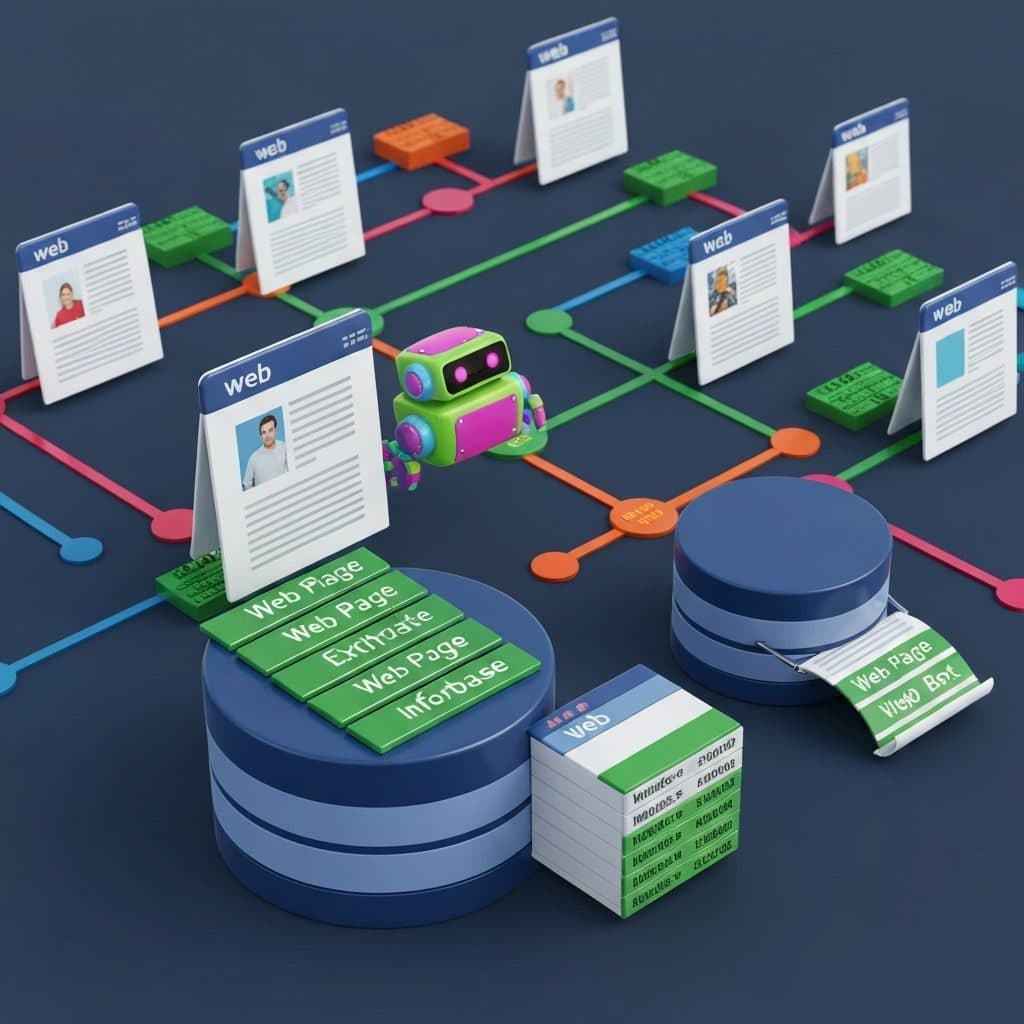
Crawlers follow links and sitemaps, respect robots.txt, and utilise canonical tags for duplicates. Most engines render Javascript, scrape metadata, and detect language, device, and freshness signals.
Media and PDFs are parsed when supported. Indexing is different from ranking, which organises results.
We cover key steps, common issues, and easy checks for coverage in the next sections.
What Is Search Engine Indexing?
Search engine indexing is the process through which search engines collect, store and arrange information from web pages so that it may be retrieved in response to search queries. It converts page code into entries in a huge index, containing billions of pages, images, videos, and documents.
That's different from crawling and it's the step that makes a page eligible to show on SERPs when someone searches. Well done indexing is key for SEO and organic reach.
Beyond a Digital Library
An index is more than a catalogue. It ranks, sorts and filters content so the best match shows first, not just any match, using complex algorithms and signals that weigh page meaning, site quality and user intent.
Relevancy changes by hundreds of factors such as user location, language, device and previous search history, so the same query might yield very different results for two users. The index is never still, with search engines refreshing it as new pages are published, old ones modified and others removed, using a vast network of machines to crawl the web en masse.
This live system powers advanced features: rich snippets from structured data, image packs, video carousels, date and type filters, "People also ask" and related searches. Beneath the surface, effective data structures enable results to load in a flash, even across billions of documents.
The Crawling Prerequisite
Crawling is step one. Search engines need to discover what pages exist before any indexing can begin. Bots such as Googlebot can follow links, sitemaps, and known URLs to crawl sites at scale.
They run across multiple machines to crawl billions of pages. Only accessible content gets in line. Pages that are blocked by robots.txt, behind logins, or behind search forms will not be crawled or indexed.
Assist crawlers in reaching important pages using clear menus, shallow click depth, clean internal links, and XML sitemaps. Look out for tech that obscures content, like excessive JavaScript, AJAX-only views, Flash, or single-page apps without server-side rendering.
From Raw Data to Usable Information
After a crawl, the engine processes raw HTML. It parses the page, renders scripts where it can, and extracts useful fields: main text, titles, meta tags, headings, canonical tags, links and anchors, images and alt text, structured data, such as Schema.org, language, and basic media data.
Parsing cleans up messy, unstructured code into nice records in the index. Deduplication, normalisation, and canonicalisation help choose a primary version, while link data and content signals feed later ranking steps.
This is how the index remains compact, speedy, and able to serve results quickly. This revolution is what makes trustworthy search available. It enables the engine to match queries to indexed entries and rank them using relevance signals, many of which react to user preferences, device type and location.
How Does the Indexing Process Unfold?
Indexing goes through stages of crawling, rendering, processing, and storing, each with their own rules and algorithms. Pages are queried, rated and catalogued so search engines can deliver results that fit user intent. Periodic index refreshes ensure results are current.
The stages of indexing include:
- Content discovery
- Parsing
- Semantic analysis
- Signal consolidation
- Index entry
1. Content Discovery and Fetching
Crawlers begin with a seed list of known URLs, then follow links to find more pages, much as a human clicks through a site. Upon arrival, bots read robots.txt first to find what paths to exclude. They then determine what to pull next through crawl budget and site health.
Fetching refers to downloading HTML, CSS, Javascript, and image files. They render pages with a modern browser engine, execute JavaScript, and queue any discovered links and resources for later visits.
Sitemaps and strong internal links direct the bots to vital or recently added pages. For quicker discovery of important URLs, submit a sitemap to Google Search Console.
2. Parsing and Resource Extraction
As part of parsing, the HTML is read to extract text, metadata, headings, titles, alt text, and structured data. Links, scripts, and media are noted for further crawling and blocked assets are skipped.
Clean, well-structured code makes it easier for search engines to crawl and understand what is on the page. Descriptive titles, clear headings, and precise meta tags assist in the classification.
Where your site uses heavy JavaScript, server-side rendering or hybrid rendering can accelerate extraction. Broken links, slow servers or infinite calendar pages can bleed crawl budget.
3. Semantic and Quality Analysis
Search engines evaluate meaning, context and quality before a page makes the index. Algorithms balance keyword usage in natural language, topical fit, depth and originality with user intent.
Thin content, spam signals or duplicates reduce the likelihood of inclusion. Canonical checks run to confirm whether your page is the primary version or a duplicate of other content.
Quality, distinctive work that fills a specific need does better here. A practical example is a product page with full specs, helpful photos with alt text, FAQs and clear returns info that is more likely to pass than a bare page with copied blurbs.
4. Signal Consolidation
Prior to storing, engines fold in signals like backlinks, page speed, mobile-friendliness, Core Web Vitals, and behavioural signals and then reconcile conflicts.
Canonical tags, redirects, hreflang, and noindex state which URL should represent the content. Audit for contradictory signals that weaken ranking strength.
5. Index Entry and Updates
If a page passes checks, it's stored as an index entry and can rank. Not every crawled page is indexed because low-quality or irrelevant pages are usually cut.
Track coverage in Google Search Console, fix errors and resubmit important pages when they change.
Why Is Indexing So Important?
Indexing allows search engines to discover, categorise and store your pages so that users can find them via search queries. It comes before rankings, traffic and any other SEO work.
| Aspect | Why it matters | SEO relevance |
|---|---|---|
| Foundation | Crawling, processing, and storing pages make results possible | No index, no rankings or traffic |
| Accuracy | A clean index yields precise, timely answers | Better match to intent and queries |
| Strategy | Index quality shapes all optimisation efforts | Impacts visibility, crawl budget, and growth |
The Foundation of Visibility
Getting on the index is the first step to being seen. If a page isn't indexed, it won't appear in search engine result pages (SERPs) regardless of how good the content is.
Indexed pages can show for a broad spectrum of relevant queries, long-tail terms, and entity matches, rather than just exact keywords. This stems from how search engines process content structure, internal links, and metadata to determine what a page is about and where it fits.
For sites with dynamic or frequently changing content, indexing is essential as it allows crawlers to return and update stored data, keeping the results fresh and relevant. Weak site architecture, crawl errors or duplicate content can prevent or dilute indexing and lower reach.
Monitor the index status tab in Google Search Console on a regular basis. Prioritise important pages, resolve errors, and submit new sitemaps to direct crawlers.
Speed and Efficiency
A good index ensures search engines can return results quickly without needing to ping your servers every time. Instead of live crawling, they query compressed, tokenised text indexes and inverted files mapping terms to documents, assisted by ranking signals stored next to content.
This method reduces server load, eliminates unnecessary fetches, and keeps the system globally responsive. Search engines employ sophisticated data management techniques such as sharding, caching, and deduplication to shave latency and increase throughput.
Underpin this with tidy site structure, consistent internal links, and proper canonical tags. We manage crawl budget by blocking thin or duplicate URLs, 404s, and speeding up pages by using XML sitemaps for key templates. These steps enable crawlers to more quickly process, store, and recall your content.
Relevance and Context
The index links user queries to the best-fitting pages. It reads meaning, not just keywords, using semantic analysis, entities and relationships.
Contextual signals from headings, anchor text and structured data assist search engines in mapping intent to content. This increases results quality and user trust. Better relevance means better click-through and dwell signals.
Leverage schema types, theme pages, and targeted keywords that mirror natural search behaviour. Resolve duplication and align templates so that each page has a unique purpose.
How to Guide Search Engine Indexing
Indexing is not crawling. Crawlers navigate pages and links to discover content, and indexing is how a page is saved and prepared for search. Clear guidance allows bots to use their limited crawl quota on the right URLs, which is a big deal on large sites. It reduces duplication, increases relevance and caters for pages with lots of JavaScript that can take longer to index.
Check results often with the site: operator, URL Inspection and server logs, and keep links between pages clear.
Key tools and protocols:
- Sitemaps
- Robots.txt
- On-page directives
- Structured data
Your Sitemap's Role
A sitemap is a file that lists your important URLs, so crawlers can find and map your site with less speculation. It doesn't push indexing but speeds up discovery, which is useful when crawl budget is limited or your site is new.
Submit the sitemap in Google Search Console and Bing Webmaster Tools to nudge bots to new or important pages. Submit new URLs quickly after launch or migration to reduce lag.
Add metadata like lastmod, changefreq, and priority to indicate update cadence and weight. Consider them as signals, not guarantees.
Clean the file up. Eliminate 404s, blocked URLs, and thin or duplicate entries. Break up large sites into separate sitemaps, link them in an index file, and refresh when pages shift.
The Robots.txt Protocol
Robots.txt lives in the root and informs compliant bots what paths they can fetch. Utilise it to shield login sections, staging directories, scripts that reveal sensitive information, and crawl traps like never-ending faceted URLs.
Do not use it to block pages from the index. A blocked page may still be indexed if linked to from elsewhere. Prefer page-level noindex to remove and never disallow rendering-required resources like CSS or JS that bots rely on to render, particularly for SPAs and AJAX-based routes.
One incorrect Disallow can bury your main site section, so verify rules, observe casing and wildcards, and check with Search Console's robots tester and live fetch tools.
On-Page Directives
Meta robots tags and HTTP headers set page-level rules. Use noindex for low-value or short-lived pages like filters, internal search, or A/B variants. Only use nofollow on untrusted links.
Canonical tags point to the primary URL on duplicates like tracking parameters, case variations, pagination, and help combine signals. Audit these instructions often.
Crawl your site, check against your sitemap and see noindexed pages by accident with the URL Inspection tool.
Structured Data's Influence
Structured Data (Schema.org) marks up entities, dates, prices, ratings, and more so bots understand context. This can improve indexing.
Correct markup can lead to rich results such as breadcrumbs, FAQs, products, or events, boosting visibility and click-through when eligible.
How does rendering matter? If markup is injected by JS, it can index later. Server-side or hybrid rendering can assist.
Test with Google's Rich Results Test and resolve errors. Then keep an eye on Search Console reports for coverage and enhancements.
Modern Indexing Challenges
Indexing is today tested by scale, speed and design changes. Search engines struggle with crawl limits, infinite URLs, hidden or gated content, and rapidly changing pages. Dynamic, JavaScript-heavy sites stall or obfuscate crucial text. Duplicates and variants fracture signals. Mobile-first rules increase the standard across multiple devices. User query patterns shape rankings in intricate ways. Gaps here mean content remains unindexed or ranks poorly. Addressing these is essential to stable SEO performance, and it pays to keep up with search guidance and algorithm notes.
Common issues include JavaScript rendering, mobile-first indexing, and duplicate content signals.
JavaScript-Heavy Websites
Loading core text or links with client-side JS puts your site at risk of partial or late indexing. When rendering fails or times out, bots cache thin pages so crucial parts never rank. Big web apps and infinite scroll exacerbate this, particularly on large catalogues.
Checklist:
- Prioritise SSR or pre-rendering for key routes and product or article pages. Make sure title, meta, canonical, and main content come through in HTML.
- Deploy dynamic rendering for bots as a fail-safe if full SSR is not viable. Serve a mirror image of user content in the form of an HTML snapshot.
- Hold critical links in HTML anchors, not just onClick handlers. Provide clean href paths.
- Curb infinite scrolling and add rel=next/prev to paginated URLs to create clean crawlable links and clear page numbers.
- Defer non-essential scripts. Don't block above-the-fold text-rendering resources.
Test render output in Google Search Console's URL Inspection. Compare HTML, screenshots, and indexed content. Ensure that structured data and canonical tags remain after rendering.
Mobile-First Prioritisation
Google predominantly crawls, indexes and ranks the mobile version. Responsive design with identical core content, meta data, structured data and internal links on mobile is critical. Mismatched templates, hidden copy, or trimmed navigation on small screens can drop key pages from the index.
Media should load rapidly and scale for different form factors. Alt text and lazy-load should not obscure your content from the crawler. Check Core Web Vitals and basic crawl paths. Menu links, pagination, and filters must be present and crawlable on mobile.
Audit your mobile site with a smartphone user-agent, fetching essential templates and checking that all core URLs return 200 status, are included in sitemaps, and not blocked by robots.txt. Large sites have crawl budget pressure points. Faceted routes must be streamlined to avoid getting trapped wasting crawl on thin combinations.
Duplicate Content Signals
Duplicate content confuses crawlers and divides equity across multiple URLs. Parameterised links, session IDs, printer views and sort/filter states pour into indexes while the crawler budget is limited, slowing the discovery of new pages.
Set canonicals to your preferred URL. Once you can consolidate, use 301 redirects for old or alternate versions. Parameter handling and URL rewriting reduce duplication at the source.
The Future of Indexing
Indexing is transitioning from batch updates to live, context-aware systems. Search engines are attempting to read, parse and rank new content within minutes, factoring in intent with greater nuance than ever before. Technical SEO will be what anchors that transition, with clean structure, speed and security at its heart.
| Trend | What | Why it matters | Technical SEO focus |
|---|---|---|---|
| Instant indexing | APIs push pages in seconds | Keeps results fresh and reduces crawl delays | Sitemaps, Indexing API, change signals |
| Smarter algorithms | AI reads context and intent | Higher relevance with complex, natural queries | Schema, semantic HTML, clean internal links |
| Tougher requirements | Quality, speed, and structure | Volumes surge; engines need strong signals | Core Web Vitals, structured data, access control |
Real-Time Information
Search engines are evolving to real-time indexing to deal with the onslaught of new pages every minute. This aids users in locating real-time statistics, particularly when events are fast-evolving or markets are moving.
APIs such as Google's Indexing API and Bing's IndexNow allow sites to submit new or updated URLs the instant they go live. This shortens the wait for inclusion and reduces the risk of stale data.
This model works for news sites, live event pages, product stock updates and travel alerts. Use instant indexing for key pages and combine it with articulate sitemaps and changefreq cues.
AI-Driven Interpretation
AI is raising how engines consume and classify material, not only by keywords but by meaning, tone and inferred intent. Contemporary models parse long or fuzzy queries, map entities, weigh sentiment and learn from multi-device user behaviour.
It's a boost for natural language queries, voice search and conversational interfaces where users ask questions in full sentences. It assists in identifying spam, thin content and duplicate pages at scale as the web continues to expand.
Machine learning directs content grouping, entity extraction and re-ranking, with feedback loops to reflect changes in demand. For site owners this means writing in plain, natural language, using schema to mark entities and relationships and pruning weak pages.
Fast mobile pages matter, of course, because slow loads and bad layouts damage engagement signals AI models rely upon. Tighter rules around user authentication and access control are on the way, so private or paywalled areas index only as they should.
Beyond Textual Content
Indexing now covers pictures, videos, PDFs and app screens. It reads alt text, captions, EXIF, transcripts, subtitles and media sitemaps. Visual search and voice search broaden the gateways, allowing users to search with a photo or spoken query and still anticipate accuracy.
Include alt text that describes what the image is and why it's relevant, not just keywords. Show full transcripts, structured timestamps and rich snippets. Schema for products, how-to, recipes and events can drive rank across result types.
Compress images and videos, select efficient formats and maintain low mobile load times. Real-time updates for thumbnails and captions enhance freshness and click-responsiveness.
Conclusion
Indexing is the name of the game. Parsers read your pages, process them, and they're indexed. Search pulls them quickly. That loop is smooth, and reach expands.
Little adjustments go a long way. Add descriptive alt text. Slim down thin pages. Increase page load speed. In honest practice, keep a tidy site map. Mark canonicals for near-duplicate pages. Write clear titles and short meta text. Link important pages from your main navigation. Prune dead tag pages that trap crawl time. No drama, only consistent increase.
Keep an eye on logs and Search Console. Spot crawl gaps early. Be on the lookout for new formats and rules.
Frequently Asked Questions
What is the difference between crawling and indexing?
Crawling is discovery. Search bots click links and retrieve pages. Indexing is storage. Only indexed pages can rank. Good site structure and a clean technical set-up assist both.
How long does indexing usually take?
New sites typically take longer. Robust internal linking, sitemaps and good content speed things up. Use Google Search Console to request indexing and check status.
How can I check if my page is indexed?
Use the site operator in search (site:example.com/page). In Google Search Console, use the URL Inspection tool. It displays index status, last crawl date and any issues found.
Can I force Google to index my page?
You can request indexing through Google Search Console's URL Inspection tool. However, Google decides what to index based on quality and relevance. No guarantee of immediate indexing.
Why isn't my page indexed?
Common reasons include robots.txt blocks, noindex tags, low quality content, duplicate content, crawl errors, or pages buried too deep in site structure. Check Search Console for specific issues.
Ready to unlock your full GSC potential?
SERPView helps you access all your Google Search Console data without limitations. Start your free trial today.
Get Started Free