
How to Make Your Google Searches Anonymous in 2026
SERPView Team
SEO Analytics

You can stop Google from linking searches to you by using one of three practical approaches: Tor Browser, a reputable VPN combined with strict browser hygiene, or a privacy-first search proxy or self-hosted metasearch tool. Each method addresses a different part of the tracking chain, and none of them requires technical expertise to get started.
Here is a quick-reference breakdown:
- Tor Browser routes your traffic through volunteer relays worldwide, hiding your IP from Google and destination sites. Strongest practical anonymity, slowest speed.
- VPN + browser hygiene masks your IP from Google and your ISP, but you are trusting the VPN provider. Moderate privacy, everyday usability.
- Privacy-first search proxies (Startpage, DuckDuckGo, Brave Search, or self-hosted Whoogle) remove personalization and tracking cookies without changing your IP. Easiest to adopt, weakest IP protection on its own.
Quick checklist before you start any session: sign out of your Google account, confirm your IP is masked (if using VPN or Tor), block or restrict JavaScript and third-party cookies, and run a verification test after setup.
Pro Tip: Choose your method based on your threat model. If you are researching sensitive health, legal, or financial topics, use Tor. For everyday private searches where convenience matters, a VPN with a hardened browser profile is usually enough.

Key Takeaways
Effective anonymous searching requires addressing multiple tracking vectors simultaneously: IP address, cookies, browser fingerprint, and account linkage.
| Point | Details |
|---|---|
| Match method to threat model | Use Tor for high-sensitivity queries; VPN plus browser hygiene for everyday private browsing. |
| Incognito is not anonymous | Private mode hides local traces only; it does not hide your IP or stop Google from logging queries. |
| Verify after setup | Run IP, DNS, and fingerprint tests to confirm your chosen method is working before you rely on it. |
| Sign out and stay out | Logging into a Google account during a private session immediately links all queries to your identity. |
| Layer tools for stronger protection | Combine a privacy search engine with a VPN or Tor for protection at both the IP and tracking-cookie level. |
Table of Contents
- Which approach should you pick right now?
- What private/incognito mode actually does (and what it doesn’t)
- Step-by-step: search anonymously using Tor Browser
- Step-by-step: use a VPN plus browser hygiene to reduce Google linkage
- Privacy-first search engines and anonymous Google alternatives
- Browser settings and extensions that reduce tracking
- How the methods compare: privacy, ease, speed, and cost
- How to test whether your searches are actually anonymous
- Important limitations and cautions
- Why privacy mode is misunderstood and how tracking really works
- Clearing search history and using anonymous queries to reduce linkage
- Alternative DNS resolvers and how they prevent DNS leaks
- Using disposable email addresses for Google services to reduce tracking
- The privacy trade-off most people get wrong
- Sources
- FAQ
Which approach should you pick right now?
Your choice depends on what you are protecting against and how much friction you can tolerate.
- Tor Browser is the right call when you need the strongest practical anonymity: researching sensitive medical conditions, legal situations, or anything you would not want tied to your identity. Expect slower page loads and frequent CAPTCHAs from Google.
- VPN + browser hygiene fits most people doing everyday private browsing: shopping research, reading news without personalization, or checking competitor search results without your history influencing rankings. Fast, usable, and good enough for most threat models.
- Privacy search engines (Startpage, DuckDuckGo, Brave Search) are the lowest-friction option for casual private queries. They do not require any software installation and remove personalization by default. Pair them with a VPN for stronger protection.
- Self-hosted Whoogle suits technically confident users who want Google-quality results without Google’s tracking, and who can manage a basic server deployment.
Situational examples:
- Researching a sensitive health symptom: Use Tor Browser with DuckDuckGo or Startpage as your search engine inside Tor. Do not log into any account.
- Checking how your site ranks without personalization: A VPN plus a private browser profile is sufficient. This is also where tools like Serpview’s search data analysis help you understand how privacy tools affect what you measure.
- Casual private browsing: Switch your default search engine to DuckDuckGo or Brave Search and enable your browser’s built-in tracker blocking.
What private/incognito mode actually does (and what it doesn’t)
Incognito mode is not anonymous searching. It is local device privacy only.
Private browsing prevents local history, cookies, and cache from being saved on your device, but it does not make your searches anonymous to Google, your ISP, or network administrators. Google still sees your IP address, can still log your queries server-side, and can still fingerprint your browser.
What private/incognito mode prevents:
- Saving browsing history to your device
- Storing cookies and site data after the session ends
- Retaining form autofill data
- Keeping downloaded files in the browser’s history list
What it does NOT prevent:
- Google seeing your IP address and search queries
- Your ISP logging DNS requests and traffic
- Network administrators on your Wi-Fi seeing your activity
- Browser fingerprinting by websites
- Google linking queries to your account if you are signed in
Pro Tip: Signing out of your Google account before searching is necessary but not sufficient. Google can still correlate queries to your IP address and browser fingerprint even without a logged-in session. Signing out removes one linkage vector, not all of them.
Step-by-step: search anonymously using Tor Browser
Tor routes your traffic through volunteer relays to hide your IP from Google and destination sites, making it the strongest practical option for anonymous web search without specialized infrastructure.
- Download Tor Browser from the official Tor Project website (torproject.org). Verify the cryptographic signature before installing to confirm the file has not been tampered with.
- Install and open Tor Browser. It is pre-configured with privacy settings. Do not change the security level from Standard to Safer or Safest unless you understand the trade-offs with JavaScript.
- Connect to the Tor network. Click “Connect” on the startup screen. If your ISP or network blocks Tor, use a bridge: click “Configure Connection” and select a built-in bridge (obfs4 is a reliable choice).
- Set your security level. Go to the Shield icon in the toolbar. For anonymous searching, “Safer” disables JavaScript on non-HTTPS sites. “Safest” disables JavaScript everywhere, which breaks some pages but maximizes protection.
- Use a privacy search engine inside Tor. Navigate to DuckDuckGo, Startpage, or Brave Search rather than google.com directly. Google aggressively rate-limits and CAPTCHAs Tor exit nodes. The EFF’s Tor guide for Windows and macOS walk through these steps with screenshots.
- Do not log into any Google account during the session. Account login immediately ties all queries to your identity regardless of Tor.
- Do not install additional browser extensions. Each extension increases your fingerprint uniqueness and can undermine Tor’s anonymity protections.
Do/Don’t checklist while using Tor for search:
- Do use HTTPS sites only when possible
- Do open a new Tor circuit (New Identity) if you switch topics or feel the session has been linked
- Do not download files and open them outside Tor Browser (they can reveal your real IP)
- Do not resize the Tor Browser window (window size is a fingerprinting vector)
- Do not log into personal accounts
Pro Tip: Use “New Identity” (from the Tor Browser menu) when switching between unrelated search topics. This gives you a fresh circuit and clears session data, making it harder to correlate two separate queries to the same user.
Step-by-step: use a VPN plus browser hygiene to reduce Google linkage
A VPN encrypts your traffic and hides your IP from websites and your ISP, but it shifts trust to the VPN provider and does not stop browser fingerprinting on its own. For most everyday private searches, this combination is the right balance of protection and usability.
- Choose a reputable VPN. Look for a provider with a verified no-logs policy, an independent audit, and jurisdiction outside the US (where no mandatory data retention laws apply to VPNs). Mullvad and ProtonVPN are frequently cited by privacy researchers for their audit transparency.
- Enable the VPN’s kill switch. This prevents traffic from leaking over your real IP if the VPN connection drops.
- Configure DNS to prevent leaks. Set your system or VPN client to use the VPN provider’s own DNS servers, or a privacy-respecting resolver like Cloudflare’s 1.1.1.1 or Quad9 (9.9.9.9). Check that DNS requests are not bypassing the VPN tunnel.
- Open a private/separate browser profile. Use a browser with strong built-in privacy defaults (Firefox with hardened settings, or Brave). A separate profile keeps your private searches isolated from your logged-in accounts.
- Block third-party cookies and enable HTTPS-Only mode. Both are available natively in Firefox and Brave. Third-party cookies are one of Google’s primary cross-site tracking vectors.
- Clear cookies and cache before and after the session, or use container tabs (Firefox Multi-Account Containers) to isolate the session automatically.
- Disable WebRTC in your browser settings or via an extension. WebRTC can leak your real IP even when a VPN is active.
Fingerprinting reduction checklist:
- Limit installed extensions to the minimum needed
- Use a common screen resolution and avoid unusual fonts
- Enable “Resist Fingerprinting” in Firefox (privacy.resistFingerprinting in about:config)
- Block third-party scripts with uBlock Origin
- Disable JavaScript where the site allows it
Pro Tip: When evaluating a VPN, prioritize providers that have published independent audit results, not just self-declared no-logs policies. Jurisdiction matters too: a provider based in a country with no mandatory data retention laws for VPNs gives you a structural privacy advantage, not just a policy one.
Privacy-first search engines and anonymous Google alternatives
Privacy-focused search engines organize user activity to avoid profiling or proxy queries so the upstream site never sees your individual IP or tracking tags. They differ significantly in how they achieve this.
- Startpage proxies your queries to Google and returns Google results, but strips your IP and tracking identifiers before the request reaches Google. You get Google-quality results without Google seeing who asked. Pairs well with a VPN for layered protection.
- DuckDuckGo uses its own index and does not track queries or build user profiles. It does not proxy to Google, so results differ from Google’s. Its “Anonymous View” feature lets you open some results without exposing your IP to the destination site.
- Brave Search runs an independent index and does not rely on Google or Bing as a backend. No query logging, no personalization. A strong choice when you want results that are not influenced by your search history at all.
- Tor Browser as a search context means using any of the above engines inside Tor, adding IP anonymization on top of the engine’s own privacy protections. This is the strongest combination for search engine privacy.
- Whoogle (self-hosted) is a metasearch proxy that strips JavaScript, cookies, referrer headers, and URL tracking tags from Google results. You control the server, so no third-party proxy sees your queries. Can be configured to route upstream through Tor or a VPN.
Some engines, including Swisscows, also offer reader-proxy or “Anonymous View” features that open result pages without exposing your IP to the destination site, which is useful when the search result itself is sensitive.
For SEO professionals, depersonalized search results matter beyond privacy. Personalized Google results can skew rank-checking. Understanding how Google personalization affects what you see is directly relevant to why private search matters for objective testing.
Browser settings and extensions that reduce tracking
Blocking cookies, limiting JavaScript, and applying anti-fingerprinting measures reduce cross-site linkage without requiring a VPN or Tor. These are baseline steps every private searcher should apply.
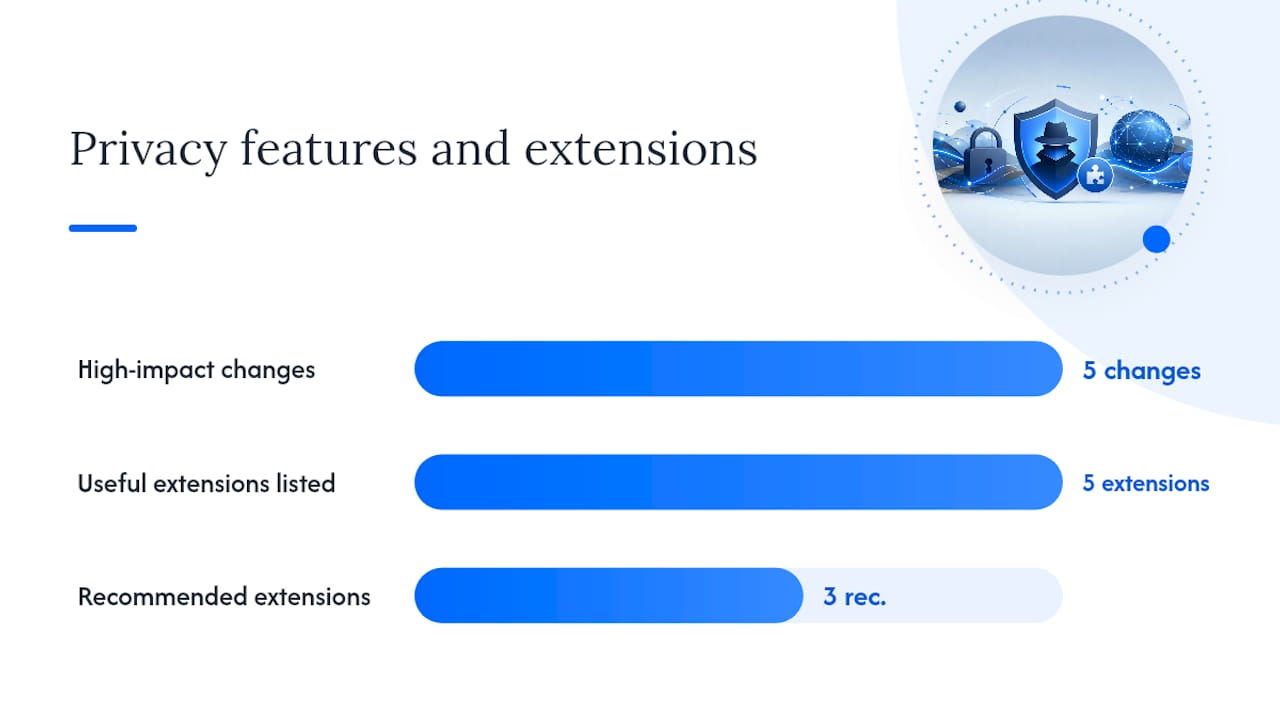
High-impact browser changes:
- Block all third-party cookies. Available natively in Firefox, Brave, and Chrome. This removes Google’s primary cross-site tracking mechanism.
- Enable HTTPS-Only mode. Forces encrypted connections, preventing network-level eavesdropping on your queries.
- Disable WebRTC or restrict it to the VPN interface. WebRTC leaks are a common source of real IP exposure.
- Use container tabs (Firefox Multi-Account Containers) to isolate Google sessions from other browsing.
- Enable “Resist Fingerprinting” in Firefox to standardize browser characteristics that fingerprinting scripts read.
Useful extensions:
- uBlock Origin blocks ads, trackers, and third-party scripts. It is open-source and widely audited.
- Privacy Badger (EFF) learns to block invisible trackers based on behavior rather than a static list.
- AnonGuard Search blocks tracking cookies sent to Google during searches, making the session appear logged out for that query. It does not hide your IP or prevent fingerprinting.
- Searchonymous similarly blocks the Search Preferences Cookie that Google uses to link queries to your account, but leaves IP and fingerprint exposure unaddressed.
- Cookie AutoDelete automatically removes cookies from closed tabs, limiting session persistence.
Pro Tip: Every extension you add increases your browser’s fingerprint uniqueness. Prefer browser-native privacy features first. When you do use extensions, stick to audited, open-source tools and keep the total count low. Three well-chosen extensions outperform ten poorly vetted ones.
How the methods compare: privacy, ease, speed, and cost
Tor provides the strongest practical anonymity; privacy search engines offer the lowest friction; VPN plus browser hygiene sits in the middle.
| Method | IP hidden from Google? | Tracking by search provider | Personalized results | Ease of use | Speed/latency | Cost | Best for |
|---|---|---|---|---|---|---|---|
| Tor Browser | Yes (via relays) | Minimal (use private engine inside) | None | Moderate | Slow | Free | High-sensitivity research |
| VPN + browser hygiene | Yes (via VPN) | Depends on search engine used | Reduced | Easy | Near-normal | VPN subscription | Everyday private browsing |
| Privacy search engine only | No | None (engine-side) | None | Very easy | Normal | Free | Casual private queries |
| Self-hosted Whoogle | Yes (if behind VPN/Tor) | None (self-controlled) | None | Technical | Normal | Server cost | Power users, SEO testing |
Key trade-offs to know:
- Tor exit nodes are frequently blocked or CAPTCHAed by Google. Using a privacy search engine inside Tor avoids this.
- VPNs shift trust: if your VPN provider logs traffic, your privacy depends on their policy and jurisdiction.
- Privacy search engines do not hide your IP from your ISP or network. Pair them with a VPN for that layer.
- Self-hosted Whoogle requires deployment knowledge but eliminates third-party proxy trust entirely.
How to test whether your searches are actually anonymous
Use IP/DNS leak tests and browser fingerprint tests to confirm what external sites see after you configure your chosen method. Do not assume the setup is working; verify it.
- Check your visible IP address. Visit an IP lookup site (such as ipleak.net or browserleaks.com/ip) while your VPN or Tor is active. The IP shown should match your VPN server or a Tor exit node, not your real ISP-assigned address.
- Run a DNS leak test. Go to dnsleaktest.com and run the extended test. Every DNS server listed should belong to your VPN provider or your chosen privacy resolver, not your ISP. If your ISP’s DNS appears, your DNS is leaking outside the VPN tunnel.
- Run a browser fingerprint test. Visit a fingerprinting test site such as AmIUnique (amiunique.org) or browserleaks.com. Review whether your browser’s fingerprint is unique. A highly unique fingerprint means sites can track you across sessions even without cookies.
- Test search behavior in a signed-out private session. Open a private window, sign out of all Google accounts, and run a search. Compare results to a signed-in session. Significant personalization differences confirm your account was influencing results.
What the results mean:
- Real ISP IP visible: your VPN or Tor is not routing traffic correctly. Check kill switch and DNS settings.
- ISP DNS servers visible: DNS is leaking. Force DNS through your VPN’s servers or switch to Quad9 (9.9.9.9).
- Unique fingerprint: reduce extension count, enable Resist Fingerprinting, or switch to Tor Browser for sensitive sessions.
- Personalized results persist in private window: you may still be signed in, or Google is using IP/fingerprint correlation.
Important limitations and cautions
No method guarantees perfect anonymity. Each approach has real limits, and overestimating your protection is a practical risk.
- Browser fingerprinting can identify you across sessions without cookies or IP. Tor Browser standardizes many fingerprint vectors; most VPN setups do not.
- VPN provider trust is a genuine dependency. A VPN that logs traffic and operates under a jurisdiction with data-sharing agreements provides weaker protection than its marketing suggests.
- Google account login immediately links all queries to your identity, regardless of VPN or private browsing. One logged-in tab can undermine an entire session.
- CAPTCHAs and rate limits are common when using Tor exit nodes with Google. This is not a security failure; it is Google detecting shared exit IPs.
- Legal considerations vary by network. Using Tor on a corporate or institutional network may violate acceptable-use policies. Check before using it in those environments.
- Usability costs are real. Tor is slow. Disabling JavaScript breaks many sites. Strict cookie blocking causes login failures on some services.
Pro Tip: Rotate your behaviors periodically: clear cookies on a schedule, use separate browser profiles for different activity types, and audit your extensions every few months. Small, consistent hygiene habits reduce linkage more reliably than a single strong tool used inconsistently.
Why privacy mode is misunderstood and how tracking really works
Tracking is multi-vector. Blocking local traces does not stop server-side logging or IP-level linking, which is why incognito mode alone fails to deliver anonymity.
The main tracking vectors you need to understand:
- IP address correlation: Every request to Google carries your IP. Google can link queries across a session and, over time, across sessions from the same IP. A VPN or Tor changes this vector.
- Cookies and session identifiers: Google sets persistent cookies that identify your browser across visits. Blocking or clearing these removes one linkage layer, but IP and fingerprint remain.
- JavaScript-based fingerprinting: Scripts read browser attributes (fonts, screen size, plugins, time zone, hardware concurrency) and combine them into a near-unique identifier. This works even in private mode.
- URL tracking parameters: Links from Google results often contain tracking tags (utm parameters, Google’s own click-tracking redirects) that identify the source query and session. Whoogle strips these tags before returning results.
As Central European University’s privacy guidance explains, the distinction between device-level privacy and network/service-level anonymity is the most commonly misunderstood concept in private browsing. Private mode handles the first; Tor and VPNs address the second.
Tracking is layered. Removing one layer (local cookies) while leaving others intact (IP, fingerprint) provides partial protection at best. Effective anonymous searching requires addressing multiple vectors simultaneously.
Clearing search history and using anonymous queries to reduce linkage
Clearing your Google search history removes stored queries from your account, but it does not erase Google’s server-side logs or undo the linkage that already occurred during the session. It is a useful step, not a complete solution.
To clear your Google search history, go to myactivity.google.com, select “Delete activity by,” and choose a time range. You can also pause Web & App Activity to stop Google from saving future searches to your account. Pausing this setting reduces personalization and limits how Google builds your profile going forward.
For anonymous queries specifically, the goal is to avoid sending identifying information with the request in the first place. That means:
- Searching while signed out of all Google accounts
- Using a search engine that does not log queries (DuckDuckGo, Brave Search, Startpage)
- Stripping URL tracking parameters before following links (Whoogle does this automatically)
- Avoiding search terms that are uniquely identifying on their own (full names, account numbers, specific addresses)
Clearing history after the fact is better than not clearing it. Preventing linkage before the query is sent is better still. SEO professionals who want to understand how Google Search Console collects and stores query data will find this distinction directly relevant to their measurement work.
Alternative DNS resolvers and how they prevent DNS leaks
Hiding your IP with a VPN does not automatically protect your DNS queries. By default, your device may still send DNS lookups to your ISP’s resolver, revealing every domain you visit even when your traffic is encrypted.
A DNS leak occurs when DNS requests travel outside the VPN tunnel. Your ISP can see which domains you are querying, even if they cannot read the content of your requests. This is a meaningful privacy gap.
How to fix it:
- Use your VPN provider’s DNS servers. Most reputable VPN clients route DNS through their own resolvers by default. Confirm this in the client settings.
- Switch to a privacy-respecting public resolver. Cloudflare’s 1.1.1.1 and Quad9 (9.9.9.9) both offer encrypted DNS (DNS-over-HTTPS or DNS-over-TLS) and do not sell query data. Quad9 also blocks known malicious domains.
- Enable DNS-over-HTTPS (DoH) in your browser. Firefox and Chrome both support DoH natively. Go to network settings and select a trusted provider. This encrypts DNS at the browser level regardless of your system resolver.
- Verify with a DNS leak test at dnsleaktest.com after any configuration change. The test shows which DNS servers are handling your lookups.
Tor Browser handles DNS differently: DNS resolution happens at the exit node, not on your device, so your ISP never sees which domains you are visiting. This is one of Tor’s structural advantages over a VPN-only setup.
Using disposable email addresses for Google services to reduce tracking
If you need to access Google services without linking them to your primary identity, a disposable or temporary email address creates a separation layer between your real identity and your Google account activity.
Services like Guerrilla Mail, Temp Mail, and SimpleLogin generate addresses that receive email without requiring personal information. SimpleLogin goes further by acting as an alias relay: you create aliases that forward to your real inbox, so you can sign up for services without exposing your actual address.
Practical steps:
- Create a Google account using a disposable or alias email address. Use a VPN or Tor during account creation so the account is not linked to your real IP.
- Do not add a recovery phone number or secondary email that ties back to your real identity.
- Use this account only for the specific service or search session you need. Do not mix it with personal activity.
- For one-time verification needs (confirming a Google account, accessing a service), Guerrilla Mail or Temp Mail are sufficient. For ongoing alias management, SimpleLogin or AnonAddy offer more control.
The key limit: a disposable email address separates your identity at the account level, but Google still links the account to the IP address used during creation and login. Combine a disposable email with a VPN or Tor for meaningful separation. Without IP masking, the email alias provides identity separation but not location anonymity.
The privacy trade-off most people get wrong
The most common mistake people make when trying to search anonymously is treating privacy as a binary state: either you are anonymous or you are not. In practice, anonymity is a spectrum, and the right position on that spectrum depends entirely on what you are protecting against.
Most people do not need Tor-level anonymity for most searches. What they actually need is to stop Google from building a persistent behavioral profile tied to their identity, which is a much more achievable goal. A VPN, a privacy search engine, and signing out of your Google account gets you most of the way there for everyday use.
Where people go wrong is in applying maximum-friction tools to low-sensitivity tasks, then abandoning them because the experience is too slow or broken. Tor with JavaScript disabled is the right tool for researching a sensitive legal situation. It is not the right tool for checking product reviews. Matching the tool to the actual threat model is what makes a privacy practice sustainable.
There is also a measurement angle worth noting for SEO professionals. Personalized search results mean that what you see when you search is not what your audience sees. Running searches through a privacy-first engine or a depersonalized session gives you a more accurate picture of actual rankings. Serpview addresses this from the analytics side: by pulling up to 50,000 rows of Search Console data across multiple properties, it gives you a data-driven view of performance that is not filtered through your own search history.
The practical default worth adopting: use a privacy search engine as your daily driver, keep a VPN active for general browsing, and reserve Tor for the sessions where the stakes are genuinely high.
Sources
- Private Browsing - Google Search Techniques - LibGuides at Central European University
- Tor Project — About Tor for users
- benbusby/whoogle-search — GitHub
- AnonGuard Search – Mozilla Add-ons (en-US)
FAQ
Are Google searches anonymous by default?
No. Google logs your search queries along with your IP address, browser fingerprint, and account information if you are signed in. Incognito mode does not change this.
How do I make my Google searches anonymous?
Sign out of your Google account, use a VPN or Tor Browser to mask your IP, and switch to a privacy search engine like DuckDuckGo, Startpage, or Brave Search. Running a DNS leak test afterward confirms the setup is working.
Which search engines are truly anonymous?
Brave Search and DuckDuckGo do not log queries or build user profiles. Startpage proxies queries to Google while stripping your IP. None of them hide your IP from your ISP; pair them with a VPN for that protection.
How do I hide my identity from Google search completely?
Use Tor Browser with a privacy search engine (not google.com directly), stay signed out of all accounts, and do not install extra extensions in Tor. This combination hides your IP via Tor’s relay network and removes cookie-based tracking.
Does a VPN make you anonymous on Google?
A VPN hides your real IP from Google and your ISP, but Google can still track you via browser fingerprinting and cookies, and via your account if you are signed in. A VPN reduces linkage; it does not eliminate it.
Recommended
Ready to unlock your full GSC potential?
SERPView helps you access all your Google Search Console data without limitations. Start your free trial today.
Get Started Free