
Social Share Preview
Free social share preview tool. See how your page renders on Facebook, X/Twitter, LinkedIn, Discord, Slack, and WhatsApp, with live og:title, og:description, and og:image preview. Character-count checks against each platform. 100% private.
Live previews (6 platforms)
Check this out: https://serpview.com/tools/serp-simulator
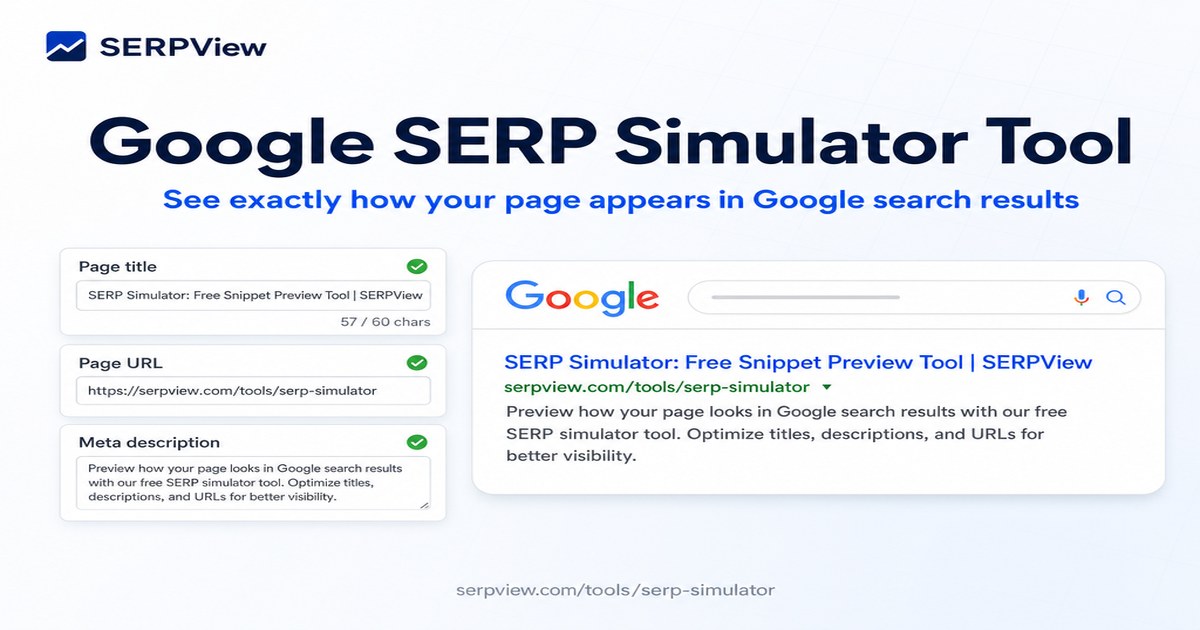
SERP Simulator: Free Snippet Preview Tool | SERPView https://serpview.com/tools/serp-simulator
How it works
A short, focused workflow — input, run, read the result.
Fill in the Open Graph fields
Title, description, image URL, page URL, and site name. Defaults are loaded so you can see the tool in action before you bring your own data.
Check the live issue panel
Empty fields, oversized titles, broken image URLs, and missing canonicals are flagged in the amber panel above the previews. Fix the input and the issues update instantly.
Scan the 6 platform previews
Facebook, X, LinkedIn, Discord, Slack, and WhatsApp all render slightly differently. Compare the layout and adjust your title or image until every preview looks click-worthy.
Copy the final URL to share
Use the page URL in your post once the previews look right. For the actual meta tags, switch to our Meta Tags Generator tool to copy a ready-to-paste <head> block.
What is an Open Graph preview, and why does the same URL look different on every social platform?
An Open Graph preview is the card a social platform renders when someone shares your URL. Facebook, X, LinkedIn, Discord, Slack, and WhatsApp all read your og:title, og:description, and og:image tags, and each one crops, truncates, and lays out the card differently. A title that fits on Facebook can get cut off on LinkedIn in the same paragraph.
What this social share preview does
Every card layout and every issue a social platform cares about, in one tool.
- Facebook card preview — renders the full og: card with image on top, matching how Facebook displays the link in feed and Messenger.
- X / Twitter card preview — renders the summary_large_image card with X's description truncation and font choice.
- LinkedIn card preview — renders the og: card with LinkedIn's domain label and the 220-character headline cutoff.
- Discord and Slack previews — renders the embed layout with the image prominent and the description clipped to a single line.
- WhatsApp link preview — renders the small mobile-style preview that shows the title and domain only.
- Live issue panel — flags empty fields, oversized titles, broken image URLs, and missing canonicals before you ship.
- og:title length check — compares your og:title against the 60-character target that fits on every platform's card.
- og:image dimension check — validates the image URL resolves and the dimensions match the 1200x630 safe zone.
Who uses this social share preview
Anyone whose content gets shared on social and needs the card to look intentional on every platform.
You're publishing 4 posts a week and want every link shared on LinkedIn, X, and Slack to look click-worthy.
Preview all 6 platforms, adjust the og:title to fit under 60 chars, and ship the post without a bad first impression.
You're scheduling 20 posts a month across Facebook, LinkedIn, and X and need consistent card formatting.
Standardize the og:title and og:description per platform, preview them, and lock in the format across the calendar.
You're announcing a press release and the og: card needs to look perfect on every journalist's platform of choice.
Preview the card on all 6 platforms, catch the LinkedIn headline truncation, and ship a clean announcement.
You're implementing Open Graph tags on a new site and need to verify the layout before launch.
Test with sample data, then with the real article, and confirm the og:image and og:title render on every platform.
You're auditing a 200-page site and need to flag pages with missing or oversized og: tags.
Run each page through the previews, catch empty og:description and broken og:image URLs in one pass.
You're launching 50 product pages and need the share cards to drive traffic back to the product detail page.
Set the og:image to the product photo, verify the title fits, and make sure every share is a working landing page.
Related glossary terms
Want a deeper dive? These glossary entries explain the concepts behind this tool.
Frequently Asked
Questions
Everything you need to know about social share preview.
Open Graph is a protocol Facebook introduced in 2010 that lets any web page control how it appears when shared on social media. You add <meta property='og:...'> tags to your page's <head>, and platforms like Facebook, LinkedIn, Discord, and Slack read them to build a preview card with title, description, and image. The protocol was extended by Twitter's 'Twitter Cards' and is now the de-facto standard for cross-platform link previews.
1200 × 630 pixels (1.91:1 aspect ratio) is the safe size for Facebook, LinkedIn, and Slack. X / Twitter uses 1200 × 675 (or 1200 × 600 for the smaller card). Discord and WhatsApp auto-crop, but starting with 1200 × 630 and using the central 1080 × 600 of the image for key content gives you the best results across all platforms. The maximum file size Facebook accepts is 8MB; the safe target is under 1MB for fast loading.
Each platform renders the og: tags slightly differently. Facebook shows the full card with image on top. X / Twitter truncates the description aggressively and sometimes shows a smaller card. LinkedIn shows a similar card but with a different font and domain label. Slack and Discord use the image prominently but truncate the description to one line. WhatsApp shows a tiny preview with just the title and domain. The only way to optimize for all is to keep your title under 60 chars and your description under 100 chars.
Each platform caches your preview image and metadata. Facebook uses a 'sharing debugger' at developers.facebook.com/tools/debug/ to force a re-scrape. X / Twitter has a 'Card Validator' at cards-dev.twitter.com/validator. LinkedIn uses a 'Post Inspector' at linkedin.com/post-inspector/. After updating your tags, run the URL through the platform's debug tool to clear the cache before sharing again. The cache is typically 7 days for Facebook, 7 days for X, 7 days for LinkedIn.
Yes on both. Completely free, no signup, no per-preview limit. 100% private: every preview renders in your browser. Your og: tags, image URLs, and page URLs are never sent to our servers, never logged, never used to train any AI. Open DevTools → Network while you use it: zero outbound requests carry your data. The only network activity is the og:image URL you provided, which the browser loads directly to render the preview, same as if you opened the URL in a new tab.
More free tools
Free, no signup required. Built by the team behind SERPView.
Google SERP Simulator Tool
Simulate exactly how your page appears in Google search results. Live SERP preview with title, URL, and description, plus character and pixel-width warnings before you publish.
Meta Description Generator
Generate 5 AI meta description variants from your page title. See the live SERP preview and copy the winner to your CMS.
Want this automated across your whole site?
SERPView monitors title tags, meta descriptions, and structured data for every URL — alerting you the moment something breaks or could be improved.
Get started free