
Top 5 Google Search Console Alternatives 2026
SERPView Team
SEO Analytics
Consolidating and analyzing deep search data across multiple properties is slow when each export is capped and must be merged by hand. Google Search Console limits exports and segments, so users must piece together partial data and repeat work for portfolios. This comparison covers five search analytics tools that remove export caps, automate multi-site reporting, and group content for efficient keyword tracking and client deliverables.
Table of Contents
SERPView
At a Glance
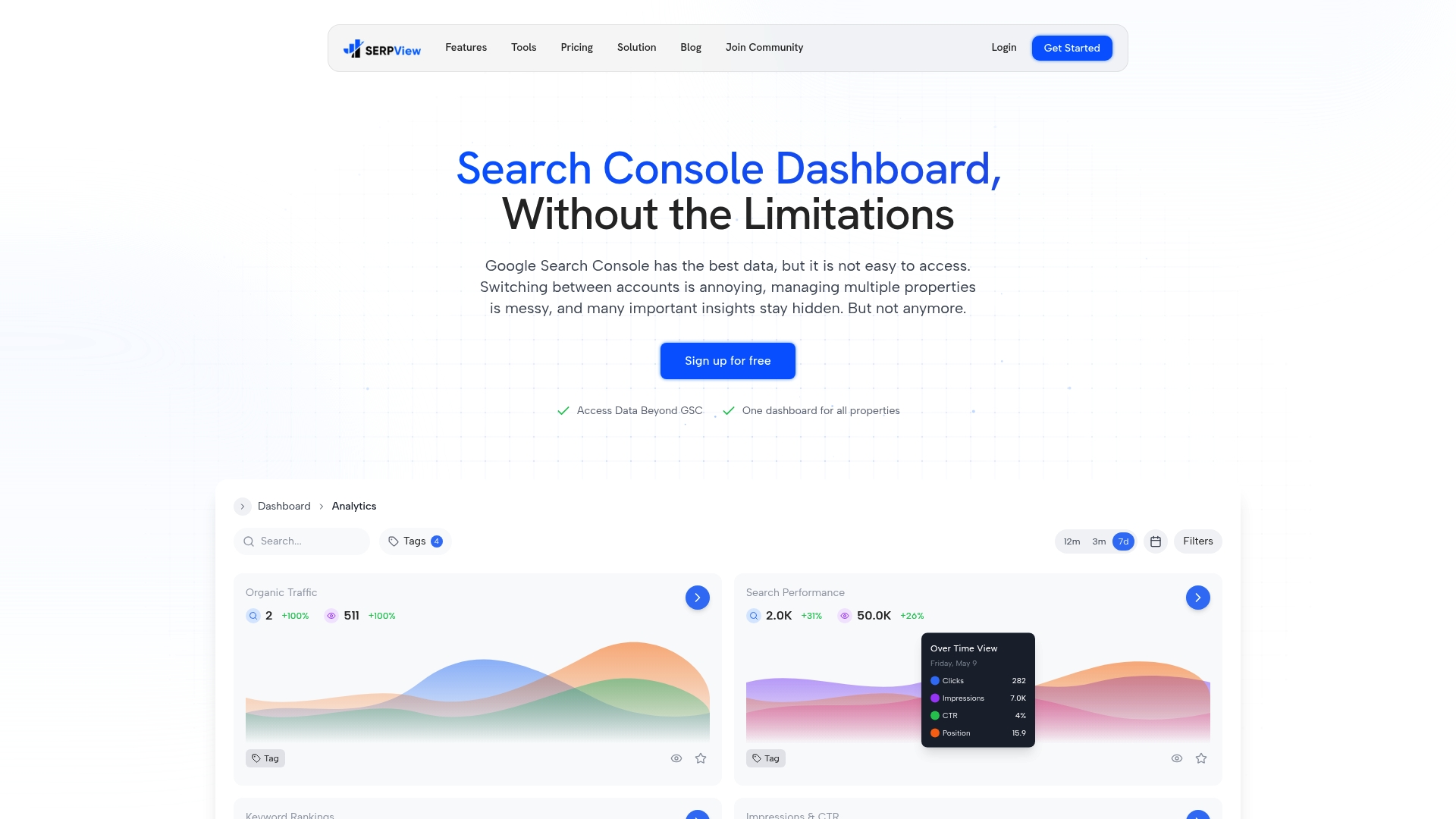
SERPView reports access to up to 50,000 rows of search data, a much larger window than Google Search Console’s 1,000-row export cap. The platform consolidates multiple properties into a single dashboard so you can compare sites without stitching CSVs. It also separates branded queries, groups content automatically, and surfaces real-user performance signals for prioritization.
Core Features
The dashboard brings multi-property performance into one view and unlocks long historical runs for query and page analysis. Keyword analysis highlights opportunity pages while content grouping and branded keyword separation reduce manual tagging. Mobile versus desktop comparisons and international metrics by country and language help you isolate device or regional regressions.
Key Differentiator
SERPView’s defining capability is historical depth plus multi-property management in one interface. That combination removes repeated GSC exports and lets you analyze long-term trends across several sites together. For teams that report on portfolios, that single-pane view shortens reconciliation work and centralizes alerts.
Pros
Extends Google Search Console data so you can work beyond the native export limit and keep longer timelines for seasonality analysis. Shared dashboards and team collaboration cut reporting overhead when several people manage the same accounts. Automated content and keyword grouping reduces setup time, while the inclusion of Core Web Vitals and Chrome UX Report data adds real-user performance context. Advanced alerting and change tracking let you detect ranking drops and page-level issues earlier.
Cons
- Dependence on Google Search Console data means SERPView does not crawl the web or provide independent indexation reports.
Who It’s For
SEO professionals and in-house teams who manage multiple domains and need a consolidated way to track keyword performance over longer periods. Digital marketing agencies that produce recurring client reports will value the portfolio view and white-label options. Site owners who want device and international splits alongside search metrics also fit this tool.
Unique Value Proposition
Putting multiple properties into one reporting environment eliminates repetitive export and merge steps for client work. That change reduces time spent on data wrangling and makes retrospective analysis feasible without rebuilding datasets. For teams that bill for reporting hours or deliver frequent audits, the workflow shift can free capacity for strategy work.
Real World Use Case
An agency centralizes ten client properties in a single SERPView dashboard to track keyword ranking movements and site health. The team creates automated alerts for sudden drops, uses content groups to surface pages that lost visibility, and generates white-label reports for each client. The consolidated view shortens weekly reporting from manual pulls to a few clicks.
Pricing
A free tier is available with a 5,000 row data limit for basic use. Paid plans start at $9/month as a limited offer for expanded rows and additional features. The vendor also advertises a one-time $99 lifetime access option for full access.
Website: https://serpview.com
SEO Gets
At a Glance
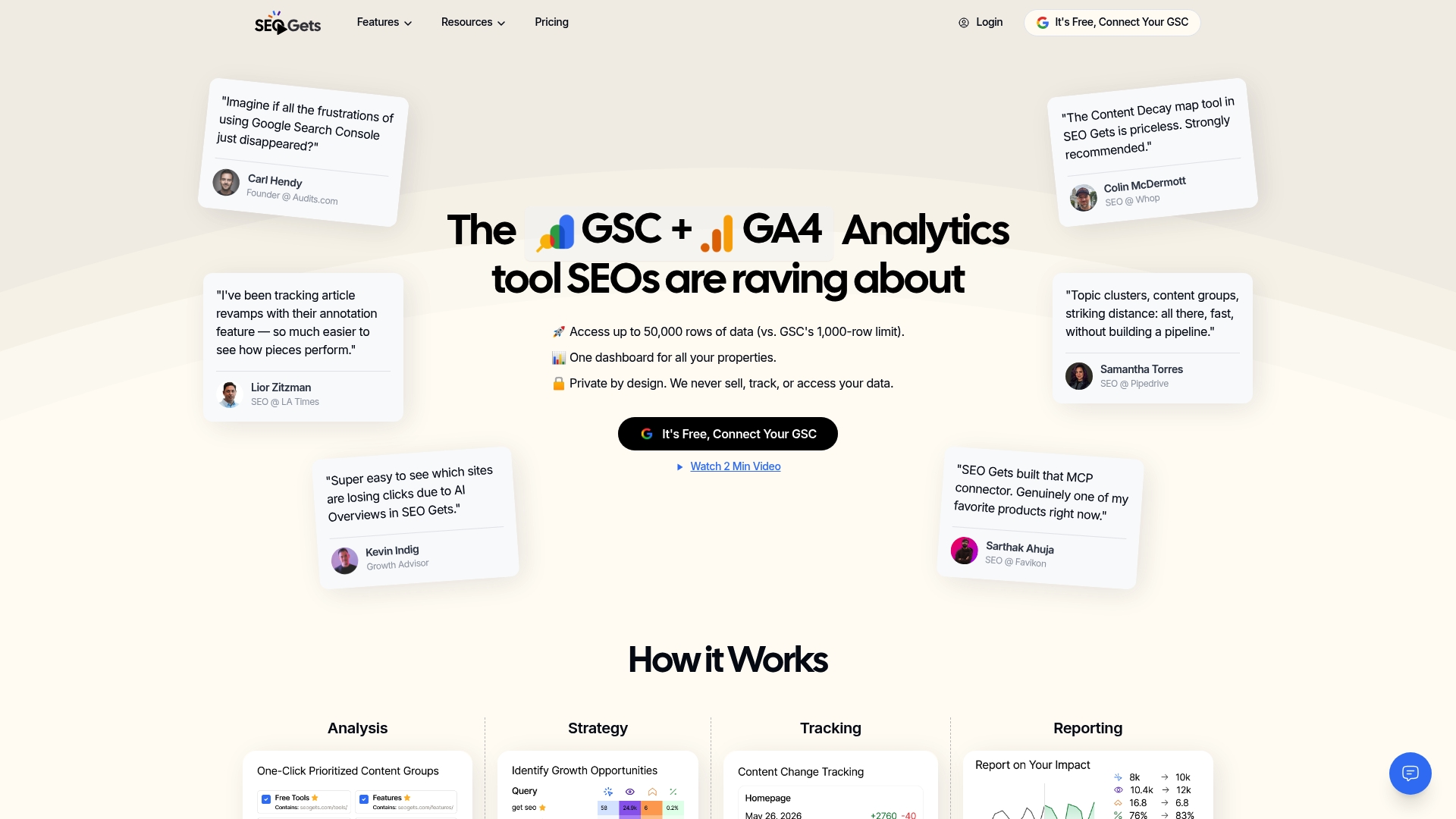
According to the company, SEO Gets exposes up to 50,000 rows of Google Search Console data with 5 years of historical depth and reports more than 4,000 SEO professionals use the product. The platform combines that extended data with content grouping, annotations, and shareable report links. That mix aims to reduce time spent pulling raw GSC tables for client reporting.
Core Features
SEO Gets centralizes site and account metrics into a single dashboard and extends GSC exports to larger row counts and multi-year history. It includes content groupings and topic cluster tracking plus annotations for core updates and site changes. The tool also offers content decay heatmaps, multi-query filtering, branded versus nonbranded tracking, and shareable magic links for client access without login.
Key Differentiator
The vendor claims up to 50x more search data than Google Search Console. That claim pairs with an emphasis on easy client sharing and topic-level analysis, which shortens the path from data to recommendations. For teams that need multi-year trend visibility and quick client reports, that combination defines the product angle.
Pros
SEO Gets removes the common GSC row limit by exposing far larger datasets and longer historical windows, which helps you spot long term trends and seasonal recovery. Content groups and topic cluster tracking let you analyze pages as sets instead of single URLs, so you can identify cannibalization and striking distance opportunities faster. Shareable magic links and built in annotations make handoffs to clients and stakeholders simpler and clearer.
Cons
- Limited third party integrations. The product currently connects mainly to Google Search Console and GA4, which may force manual exports for other data sources.
- Enterprise feature limits. Pricing tiers and customization options may not fit large enterprise workflows that need bespoke integrations or SSO.
- Roadmap gaps. Features such as content change tracking are listed as upcoming and are not available yet.
When It May Not Fit
If your team relies on a broad integration ecosystem or needs deep enterprise customization, this product may create extra work for data engineering. Organizations that require immediate content change auditing will find key features are still on the roadmap. Very large enterprise accounts that need SSO or bespoke reporting templates may need a more customizable platform.
Who It’s For
SEO Gets fits agencies, consultants, and in house SEO teams that manage multiple sites and need more GSC depth than the native interface provides. It also suits teams that regularly produce client reports and want a no login sharing option. The product targets practitioners who prioritize longer trend windows and topic level analysis.
Real World Use Case
An SEO agency consolidates ten client properties into SEO Gets to run weekly performance checks and heatmap reviews. They group topical clusters to find pages competing for the same queries and flag cannibalization. Monthly client reports go out via branded magic links, saving the team several hours on export formatting.
Pricing
A free tier covers basic reporting and a limited site count for testing. The Core plan starts at $39/month and adds the extended exports, topic tracking, and shareable links. Enterprise pricing and custom quotes are available for larger teams.
Website: https://seogets.com
SEO Stack
At a Glance
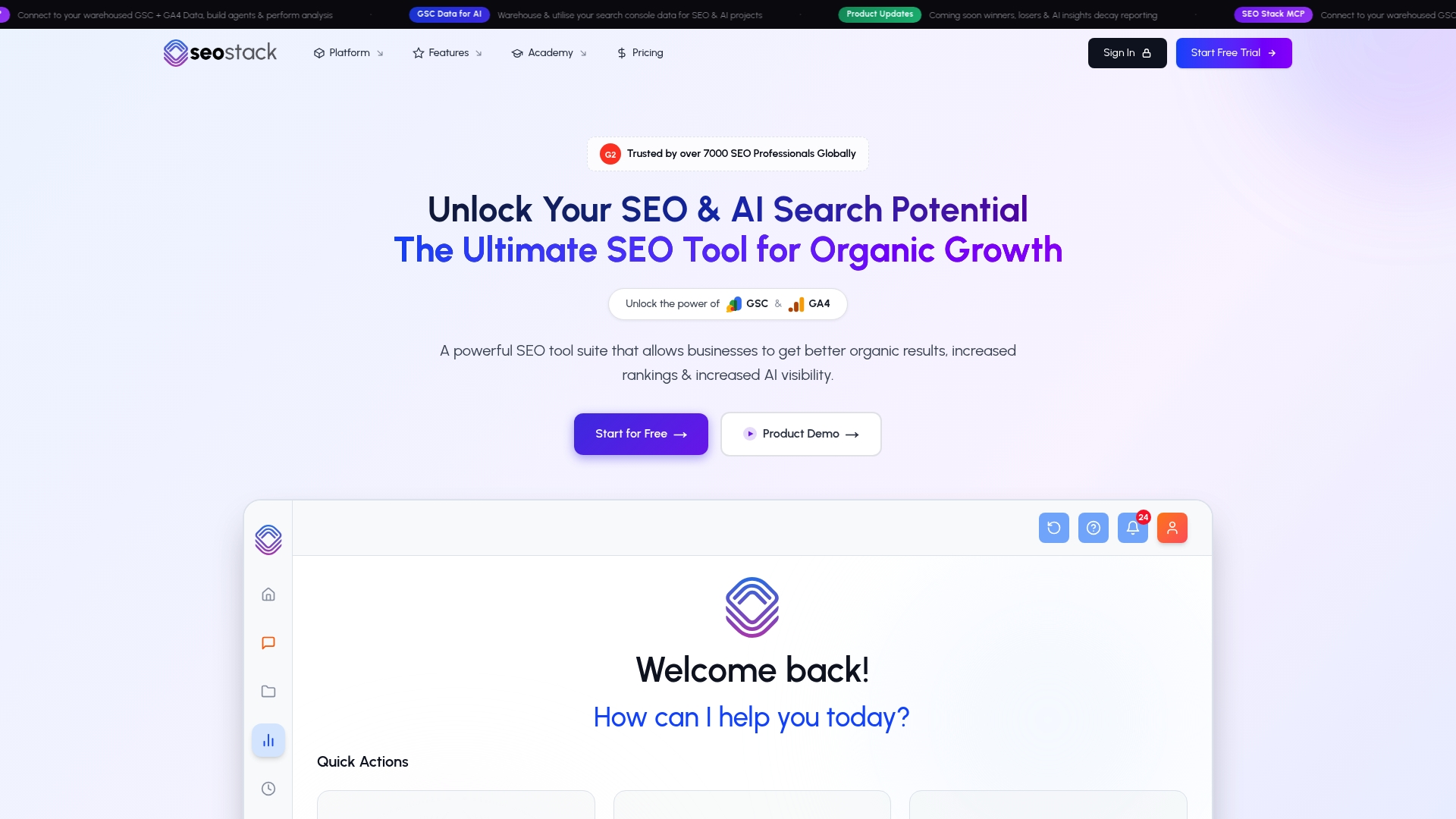
SEO Stack’s marketing materials claim access to up to 10 years of historical Google Search Console and GA4 data. That depth supports long term trend analysis and cross domain comparisons. The product also bundles AI annotations, content auditing, and automated reporting for workflow support.
Core Features
SEO Stack combines large scale data warehousing with unlimited export and filtering so teams can slice GSC and GA4 records for long term study. The platform offers AI annotations, query counting, keyword intent tools, and content NLP to surface Google served topics. Project management tied to GSC, Talk to AI natural language queries, and automated client reporting complete the feature set.
Key Differentiator
The standout is that timeline plus in‑platform AI. That timeline allows multi year comparisons that standard consoles do not retain, and the AI annotations attach context to performance shifts. For teams handling many domains or long running campaigns, that mix reduces manual data stitching and speeds hypothesis testing.
Pros
SEO Stack replaces common Search Console data limits by storing long term records and exposing them through flexible filters and exports. Its AI annotations and content auditing help you record why rankings moved and keep a searchable audit trail. Automation and reporting cut manual monthly work, and the content NLP and keyword cloud tools help you find topical gaps across client sites.
Cons
- Interface complexity can slow onboarding and require dedicated training time for teams new to the tool.
- Pricing tiers may be costly for solo practitioners and very small businesses with tight budgets.
- Several integrations, such as Slack and BigQuery, are still listed as planned, limiting current workflow connectivity.
- The breadth of features can overwhelm users who only need basic performance reports.
When It May Not Fit
If you manage a single small site with limited reporting needs, the platform may feel too large and expensive. Teams that depend on instant Slack alerts or BigQuery exports may find integration gaps until planned connections arrive. Organizations seeking a minimal interface with few features will likely prefer simpler tools.
Notable Integrations
- Google Search Console
- GA4
- Planned integrations include Slack and BigQuery
These connections cover core analytics. The planned items suggest deeper data and workflow links in future releases.
Who It’s For
The product suits SEO professionals, agency teams, and data driven marketing groups that run multiple websites and need long term records. It fits teams that value audit trails tied to campaign work and that can dedicate time to learn a deeper interface. Small solo users will want to compare costs first.
Real World Use Case
An SEO agency warehouses clients’ GSC and GA4 histories to run competitor comparisons and content audits over several years. Analysts annotate ranking shifts with AI notes, then generate client reports from the platform. That flow reduces manual aggregation and keeps recommendations tied to data snapshots.
Pricing
Monthly plans start at $19.99 for a single site and scale to $489.99 for agency level service. A 30 day free trial is included so teams can test storage, filters, and reporting before committing.
Website: https://seo-stack.io
AgencyAnalytics
At a Glance
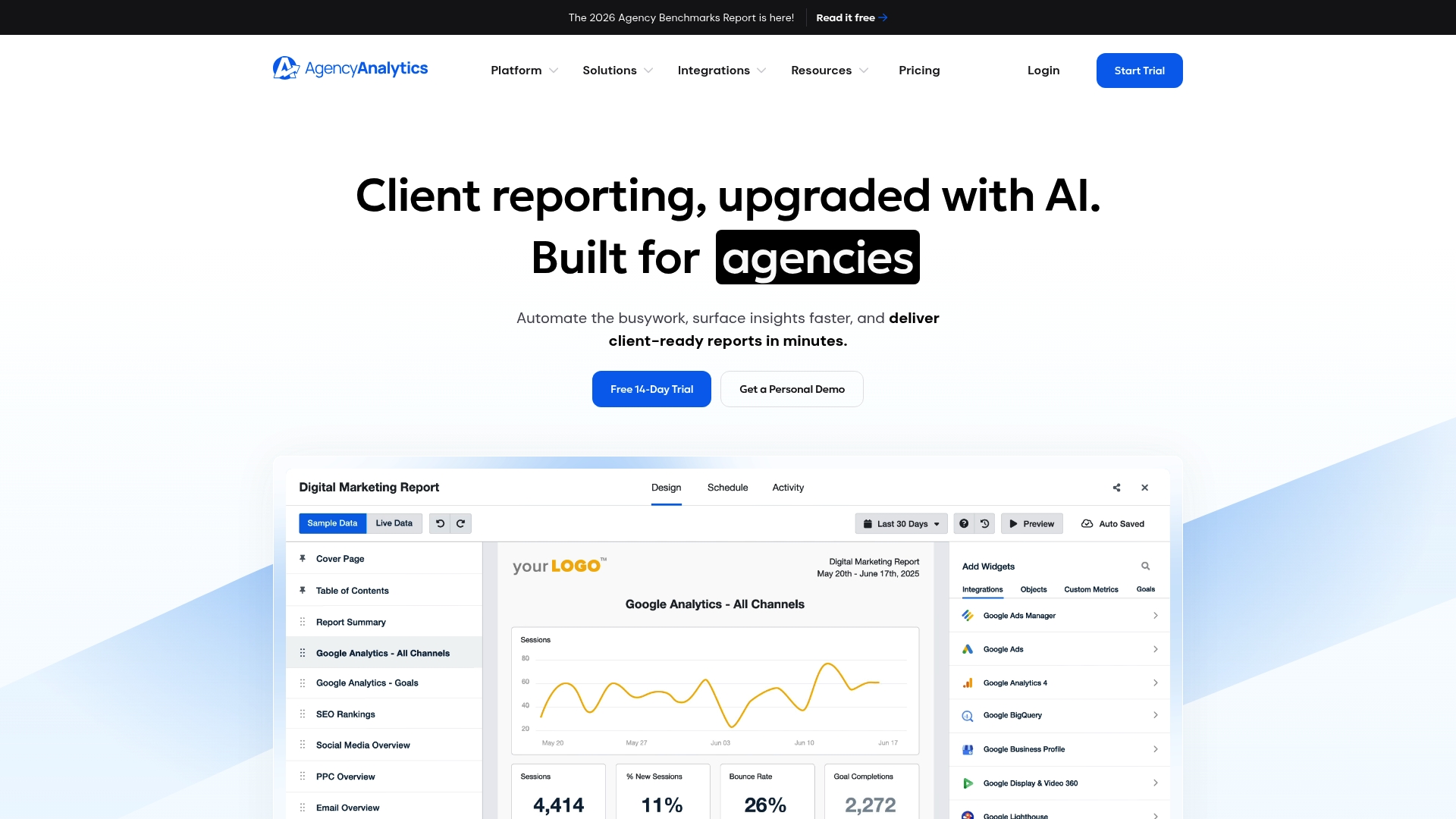
The vendor reports a client reduced manual data collection by over 125 hours per month. AgencyAnalytics bundles scheduled reporting, client portals, and white-label dashboards that agencies use to present results. The platform targets teams that need repeatable reporting workflows and client-facing transparency.
Core Features
AgencyAnalytics centralizes unlimited data sources, customizable templates, automated scheduled reporting, and client portals in one place. It includes AI-powered insights, goal and budget tracking with alerts, white-label branding, and data visualization for custom metrics and benchmarking. The vendor advertises 70+ integrations, including analytics, ad platforms, CRM, and social channels.
Key Differentiator
AI summaries paired with automated reporting and broad connector coverage make the platform stand out for agencies that scale report production. The AI summaries reduce the time analysts spend writing narrative performance updates. That combo shifts effort from manual compilation to client communication.
Pros
Automated, customizable reporting cuts repetitive work and standardizes deliverables across clients. Client portals and white-label dashboards improve transparency and make handoffs to account teams smoother. Bulk operations and templates support agencies that add many clients quickly while keeping report quality consistent.
Cons
- Pricing details require a demo or trial, so estimating total cost for large teams is difficult.
- Advanced items such as custom metrics and database connectors may sit behind enterprise plans or add-ons.
- Basic plans have limited user role detail, which complicates strict permission regimes.
When It May Not Fit
If you need complex custom integrations without enterprise procurement, this platform may not meet your needs. Teams requiring enforced multi-factor authentication at the account level should confirm plan capabilities. Organizations with fine-grained role and permission requirements may need a higher-tier plan.
Notable Integrations
AgencyAnalytics connects to Google Analytics, SEMrush, HubSpot, Facebook, Google Search Console, Instagram, LinkedIn, and Mailchimp. These connectors cover typical SEO, PPC, CRM, and social reporting needs for agencies. The integration set supports pulling cross-channel KPIs into single client dashboards.
Who It’s For
Marketing agencies managing multiple clients who need repeatable reporting and client-facing dashboards will benefit most. It fits SEO, PPC, social, and email teams that want to reduce manual report assembly and present branded deliverables. Larger agencies that require bulk operations and white-labeling will find the platform aligns with growth workflows.
Real World Use Case
An agency automated daily performance reports across multiple clients and used the client portal to share results with sales. That approach reduced manual collection time by the hours saved above and allowed the sales team to demonstrate recent wins faster. The automation freed analysts to focus on strategy rather than data gathering.
Pricing
AgencyAnalytics charges $20 USD per client per month when billed annually. The vendor offers volume discounts and enterprise options for larger agencies. Requesting a demo clarifies which features require higher-tier plans.
Website: https://agencyanalytics.com
SEOmonitor
At a Glance
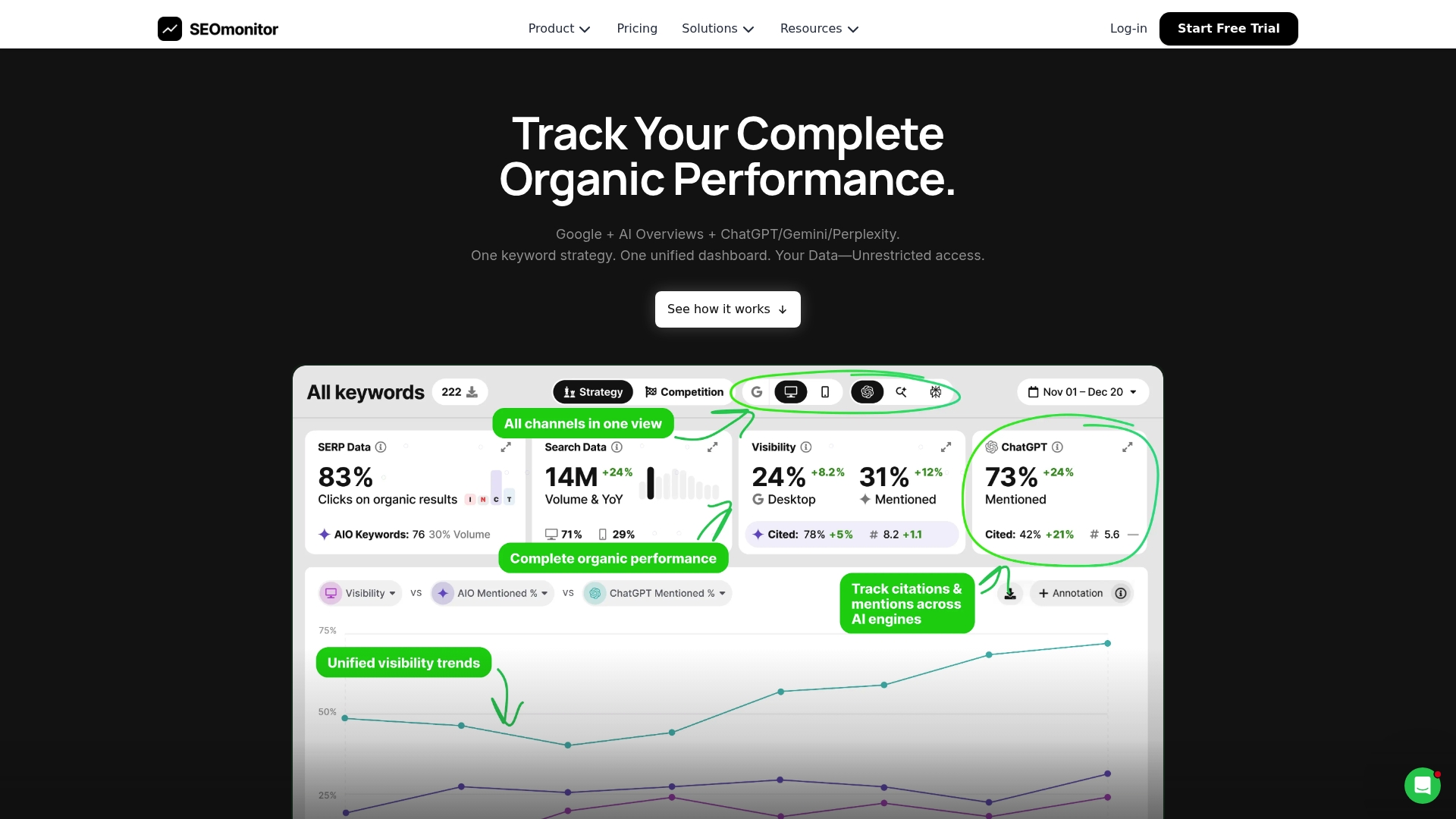
SEOmonitor’s marketing materials state unlimited users, APIs, and exports with no extra charges. That claim makes it attractive for agencies pushing many client accounts. The platform pairs daily rank tracking with integrated monitoring of AI search signals. Expect a learning curve for teams that need to map new workflows.
Core Features
The dashboard combines Google ranking data with AI Overviews and AI Search metrics so you can compare organic performance and AI visibility in one place. Automated workflows cover keyword research, content creation, and forecasting while competitor detection runs across channels. The platform also captures historical SERP and AI content snapshots for trend analysis.
Key Differentiator
SEOmonitor centers on unified tracking of traditional search and AI-driven results within a single interface, plus automation to turn keyword signals into briefs and forecasts. That blend targets agencies that must report ROI across Google and emerging AI search channels.
Pros
Daily rank updates with full top 100 coverage via Dynamic Depth Crawling give you more granular visibility than simple top 10 checks. Automation features reduce repetitive work on keyword research, content outlines, and traffic forecasting. Unlimited collaboration and full API support help agencies centralize reporting and share live dashboards with clients.
Cons
-
Some advanced features like full API access are listed as add-ons. This may raise total cost for custom integrations.
-
The platform can feel feature dense. New users typically require onboarding or training to use workflows effectively.
-
Public third-party coverage offers limited detail about AI-tracking accuracy. That leaves buyers with some unanswered technical questions.
When It May Not Fit
If you prefer a lightweight rank tracker with minimal setup, SEOmonitor may be too feature heavy and slow to adopt for solo consultants. Smaller budgets could be strained if your use of advanced APIs or historical retention requires higher tiers or paid add-ons. Teams needing clear, independent verification of AI tracking accuracy may prefer to trial the product first.
Notable Integrations
-
Looker Studio for custom dashboards and cross-channel visualization.
-
Google Sheets for ad hoc exports and collaborative data edits.
-
Complete API for building bespoke integrations or feeding data into in-house reports.
Who It’s For
Marketing agencies and enterprise SEO teams that manage multiple client sites across Google and AI platforms. It suits teams that want to centralize rank data, automate content workflows, and produce forecasted ROI narratives for stakeholders.
Real World Use Case
A digital agency tracks client rankings on Google while monitoring mentions in ChatGPT and Gemini. They generate keyword-led content briefs automatically, run traffic forecasts for proposals, and export combined reports for client review. That workflow helps the agency standardize deliverables across accounts.
Pricing
The vendor lists a Starter plan starting at €99/month, with higher tiers such as Pro and Writer-Only that expand keyword limits and features. Pricing notes also reference unlimited users and API access, while other product notes say some advanced API capabilities may be sold separately.
Website: https://seomonitor.com
Comparison of alternatives
The evaluation of search analytics tools reveals SERPView’s standout feature as its consolidated multi-property management interface. However, for those seeking alternatives or specific features, understanding the trade-offs between key players in this domain is crucial.
Functional focus and configurations
SERPView excels in offering a unified cross-site analytics view, enabling management teams to track multi-property SEO performance efficiently. By contrast, SEO Gets provides sharing tools with its Magic Link functionality. SEO Stack emphasizes deep historical data storage for advanced long-term trend analysis, highly valued for extensive SEO campaigns. AgencyAnalytics integrates with a broad spectrum of data platforms, great for varied campaign KPIs, while SEOmonitor introduces AI-guided features to assist decision-making processes.
Usability and pricing considerations
From a pricing standpoint, SERPView’s accessible starting plan offers considerable value for individual SEO professionals, whereas AgencyAnalytics’ pricing per client may make sense for larger agency setups. SEO Gets appeals to mid-sized teams with its reasonable core plan targeting professional needs. Onboarding complexity differentiates SEOmonitor and SEO Stack, where their feature density demands a significant learning investment compared to others’ immediate usability.
Best fit
- Professionals managing multiple domains across shared teams will benefit from SERPView’s consolidated reporting dashboard.
- Agencies seeking rapid, client-friendly report sharing tools should consider SEO Gets for its straightforward Magic Link features.
- Teams requiring extensive historical SEO data and annotation capabilities will find SEO Stack matches their longitudinal analysis goals.
- Marketing analysts benefiting from digitized multi-channel integration can leverage AgencyAnalytics effectively.
- SEO consultants aiming to incorporate machine guidance with traditional analytics may explore SEOmonitor’s AI-driven functionalities.
Our pick
For teams prioritizing collaboration across multiple sites, SERPView’s dashboard sets a high standard, although client-focused agencies may value SEO Gets’ sharing tools.
Here’s how these tools compare in their approach to consolidating search data for SEO analysis:
| Product | Key Feature | Ideal For | Pricing | Limitation |
|---|---|---|---|---|
| Serpview | Multi-property, real-user performance | SEO professionals managing portfolios | Free, $9/month, $99 lifetime | Relies solely on GSC data without web crawling capabilities |
| SEO Gets | Shareable reports, content heatmaps | SEO consultants producing client reports | Free, $39/month, custom quotes | Limited third-party integrations with roadmap gaps |
| SEO Stack | AI annotations, 10 years of data storage | Agencies managing long-term projects | $19.99/month to $489.99/month | Interface complexity may slow initial onboarding |
| AgencyAnalytics | White-label dashboards, 70+ integrations | Marketing agencies | $20/client/month | Pricing transparency may require contacting the vendor |
| SEOmonitor | Unified regular and AI search tracking | Enterprise SEO teams | Starts at €99/month | Complexity could challenge smaller teams |
Why SEO Professionals Seek Better Search Console Alternatives
Google Search Console limits exports to 1,000 rows, which hinders deep analysis over multiple domains and long timelines. If you manage several sites or need to track keyword trends extensively, this cap can slow your workflow and complicate reporting. SERPView offers access to up to 50,000 rows of search data, removing this boundary and consolidating multiple properties into one clear dashboard.
With SERPView, SEO professionals can compare mobile and desktop metrics, separate branded queries, and explore historical trends effortlessly. This tool reduces time spent on manual file stitching and gives you real-user performance signals for smarter prioritization. Explore how SERPView can transform your search analytics by visiting SERPView.
Enhance your SEO reporting process today. Visit SERPView, import your CSV exports, and view consolidated insights across all your properties within minutes.

FAQ
How does Serpview enhance search data analysis for SEO professionals?
Serpview extends Google Search Console data beyond the typical export limit, allowing analysis of up to 50,000 rows of search data. This feature enables SEO professionals to perform long-term trend analysis without racing against data caps. You can leverage this capability to gain deeper insights into your website’s performance over time.
What is the difference between SEO Gets and Serpview?
SEO Gets provides up to 50x more search data than Google Search Console, along with easy client sharing options. Serpview excels in its ability to combine multiple properties into one dashboard for deep historical analysis. If you’re managing multiple domains and need a comprehensive view, Serpview is more suitable for that scenario.
Can I use Serpview for tracking specific branded keywords?
Yes, Serpview automatically separates branded queries, making it easy to track these keywords alongside general performance metrics. This feature helps you focus on the effectiveness of your branding efforts while monitoring overall site performance. It’s particularly beneficial for agency teams managing multiple client brands.
How does the pricing of Serpview compare with its competitors?
Serpview offers a free tier with a 5,000 row limit, while paid plans start at $9/month. This pricing model can be an affordable option, especially for smaller teams testing the platform’s capabilities. Compared to competitors, this entry-level price makes it accessible for SEO professionals starting their journey with advanced analytics.
What makes Serpview a preferred tool for agencies compared to other platforms?
Serpview’s ability to centralize multiple properties into a single dashboard allows agencies to streamline their reporting process. This feature simplifies client reporting by reducing the need to manage multiple datasets separately. For agencies looking to optimize their workflows, this capability is essential.
Recommended
Ready to unlock your full GSC potential?
SERPView helps you access all your Google Search Console data without limitations. Start your free trial today.
Get Started Free