
Top 3 Rank Ranger Software Alternatives 2026
SERPView Team
SEO Analytics
Comparing search analytics software with reliable rank tracking, export flexibility, and reporting for multiple websites is harder than it should be. Most tools place tight limits on data exports, charge extra for automation, or lock agency features behind high-cost tiers. You can pick a search analytics platform that matches your export, reporting, and scale needs without overpaying for agency-level access.
Table of Contents
SERPView
At a Glance
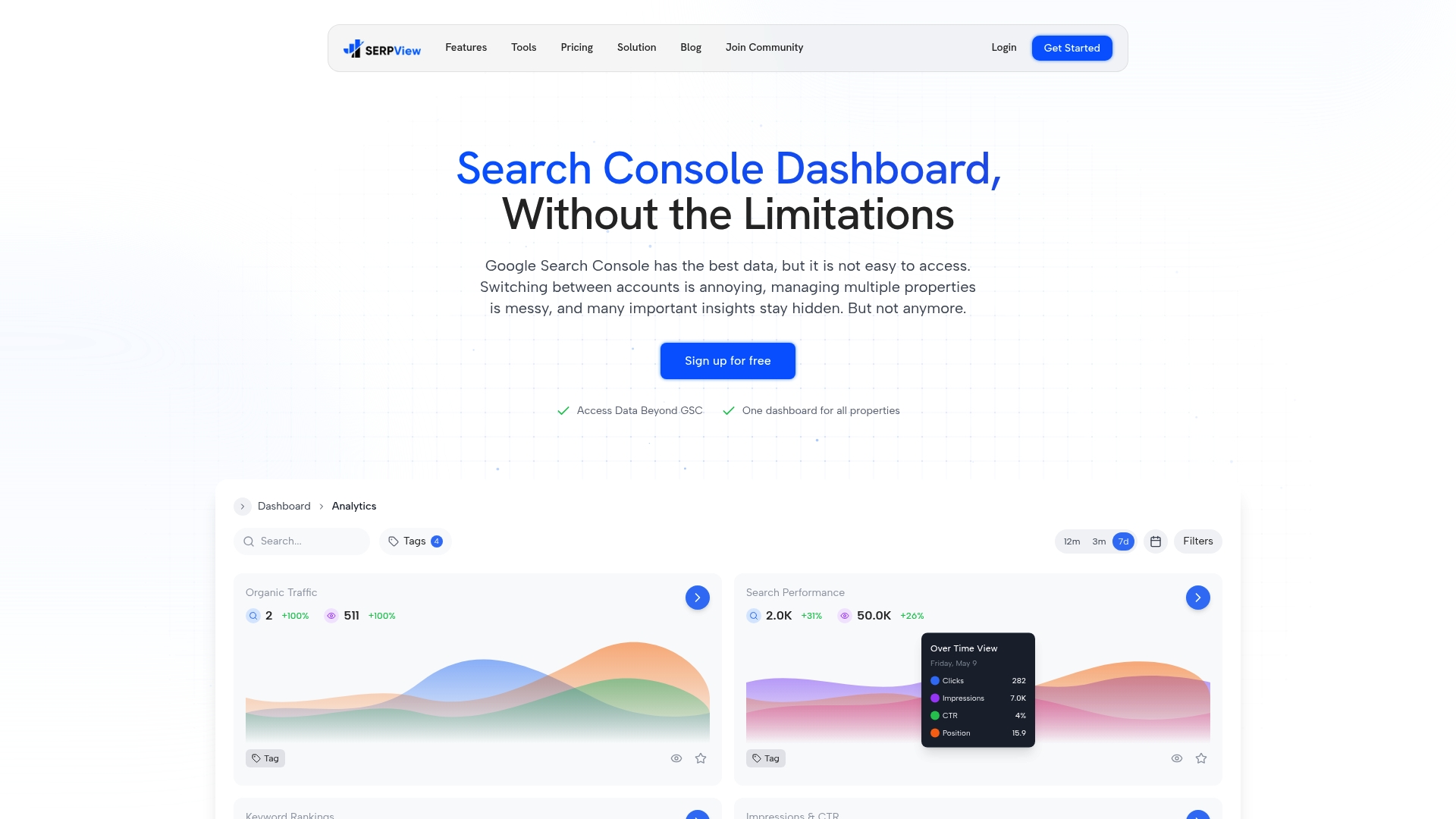
SERPView’s marketing materials state it provides access to up to 50,000 rows of Google Search Console data. That row ceiling removes the common 1,000-row export limit and lets you explore long-tail queries and low-volume pages. The platform also centralizes multiple properties so you can compare clients and regions from one place.
Core Features
The platform pulls larger GSC exports into a unified dashboard that supports multi-property management, saved filter presets, and persistent filters across views. It includes content grouping for section and topic analysis, branded keyword tracking that separates brand from nonbrand traffic, and click, impression, CTR, and position metrics per keyword. Real-user Core Web Vitals and history tracking let you monitor technical performance alongside search metrics.
Key Differentiator
SERPView extends Google Search Console data limits and pairs that access with deep segmentation tools. The combination of large exports, saved filter presets, and content groups makes it feasible to run detailed cohort analysis without manual CSV stitching. Collaboration and white-label reporting are built into the same workflow, so reporting for multiple clients stays consistent.
Pros
Access to that larger GSC dataset lets you test keyword strategies on low-volume queries and audit indexing coverage across many pages. Centralized property management reduces the overhead of juggling separate Search Console accounts and speeds client reporting. Branded keyword filters remove brand noise from organic performance metrics, improving the accuracy of ranking and CTR analysis. Built-in content grouping and real-user Core Web Vitals give you both topical and technical signals in one place, and sharing plus white-label options simplify agency deliverables.
Cons
- The interface can feel complex for new users. Expect an initial setup phase to learn filters, content groups, and branded rules. Ongoing management of those elements is necessary for accurate reports.
Who It’s For
SEO professionals and agencies that manage multiple websites or client accounts will get the most value. Teams that need larger GSC exports and consistent, repeatable reporting workflows benefit from persistent filters and white-label reports. Individual site owners who prefer minimal setup may find the platform has a learning curve.
Unique Value Proposition
Persistent filter presets and saved views carry across dashboards so reporting stays consistent from month to month. That workflow reduces repetitive filter setup when generating client reports or monthly audits. For agencies, the combination of persistent filters and white-label sharing shortens report preparation time and keeps metric definitions uniform across clients.
Real World Use Case
An SEO agency consolidates 20 plus client properties into a single workspace to compare branded versus nonbrand performance. The team uses content groups to track topic-level traffic and the larger GSC exports to find low-volume keywords that convert. White-label exports and saved presets speed up monthly reports and reduce manual CSV edits.
Pricing
SERPView offers a free tier and two paid options: a Limited plan at $39 per month and a Lifetime plan at $99 one time. Paid tiers add features and higher usage limits for agencies or teams that need more historical data and sharing capabilities.
Website: https://serpview.com
AccuRanker
At a Glance
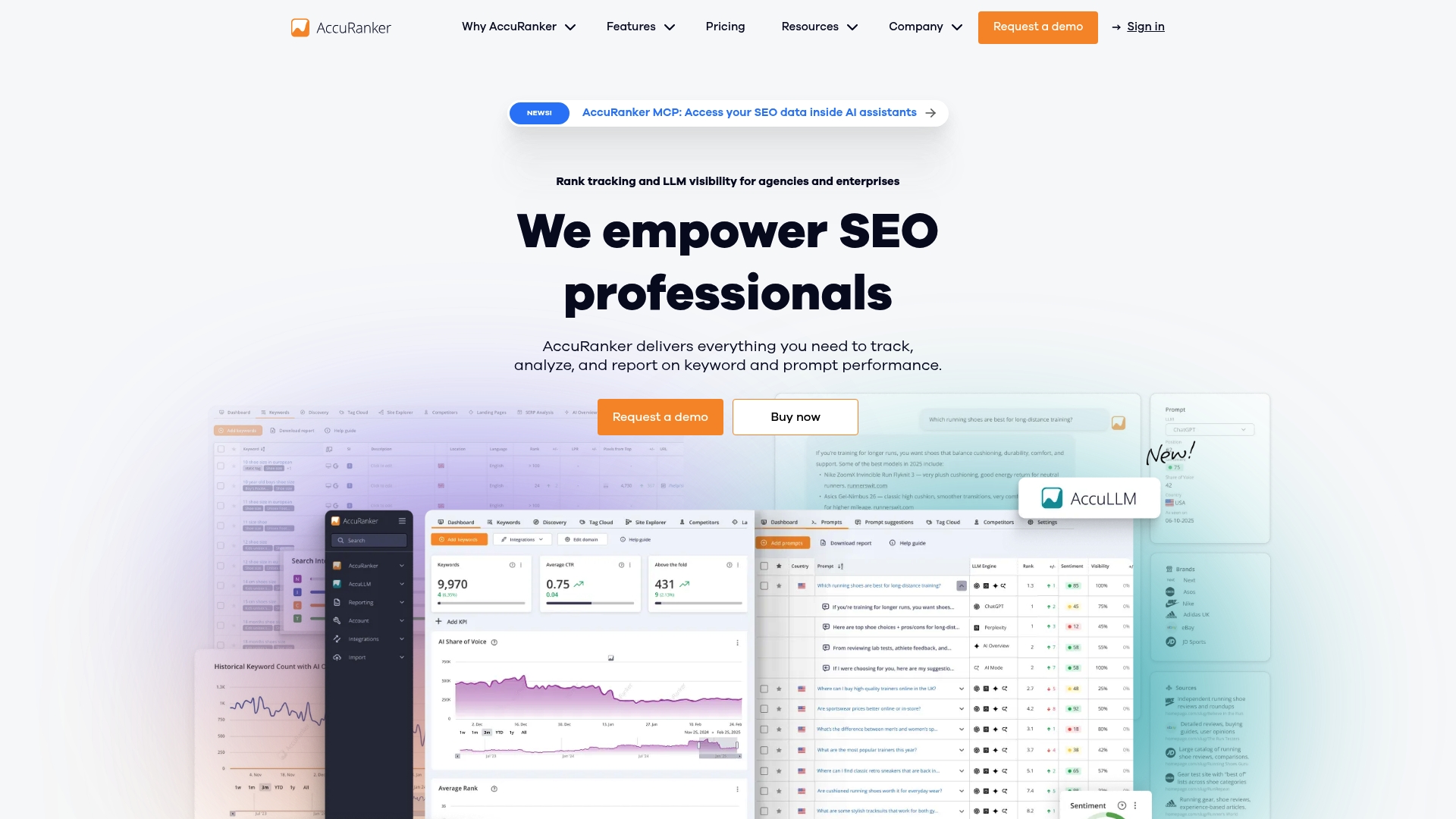
AccuRanker reports a keyword database of over 24 billion entries. The product launched in 2013 and targets fast, accurate rank tracking with daily updates and an emphasis on scale. That emphasis shows in features built for managing large keyword portfolios and frequent reporting cycles.
Core Features
Core features include real time rank tracking with daily updates, an intuitive dashboard with customizable reports, and an advanced tagging system for organizing keywords. The platform also exposes an API and connects to analytics and BI tools so you can pull rank data into external dashboards and reports. AI powered metrics and forecasting appear alongside classic competitor analysis in the same interface.
Key Differentiator
What sets AccuRanker apart is its focus on speed and scale for large keyword portfolios. It pairs AI powered metrics with a clean, customizable dashboard and ready integrations so teams can fold rank data into existing reporting workflows.
Pros
According to the company, AccuRanker is trusted by thousands worldwide. Users gain highly accurate daily rank tracking, clear share of voice metrics, and multi level competitor analysis that supports client reporting. Integrations with Data Studio, BigQuery, Google Analytics, and Zapier let you embed rank data into client dashboards and automate report delivery.
Cons
- Costs rise quickly as keyword volume grows, which can make the platform expensive for small budgets.
- Some users report a complicated cancellation process and limited self service options for downgrades.
- The product focuses on rank tracking and lacks built in content optimization or backlink analysis tools.
- The depth of data produces a learning curve for complete beginners.
When It May Not Fit
Small businesses or solo operators with only a few hundred keywords will likely find the cost structure inefficient. Teams that need built in on page SEO audits or backlink analysis will need additional tools. Organizations seeking a plug and play, beginner friendly tracker may find the interface dense.
Notable Integrations
- Data Studio
- BigQuery
- Google Analytics
- Google Search Console
- Zapier
- Slack
Who It’s For
SEO agencies, in house SEO teams at mid to large organizations, and consultants who manage extensive keyword portfolios will benefit most. Teams that produce frequent client reports and need programmatic access to rank data will find the platform useful. It is less suited for solo consultants with small keyword sets.
Real World Use Case
A digital marketing agency uses AccuRanker to monitor daily rank fluctuations for hundreds of client keywords and to generate automated reports. The agency feeds rank data into BigQuery and builds consolidated dashboards in Data Studio. AI powered forecasting helps prioritize keyword opportunities across client portfolios.
Pricing
Pricing starts at $224 per month for 2,000 keywords, with tiered plans for larger volumes and enterprise plans available on contact. The model favors teams that manage large keyword sets rather than low volume users. Requesting a custom enterprise quote is required for high volume contracts.
Website: https://accuranker.com
SE Ranking
At a Glance
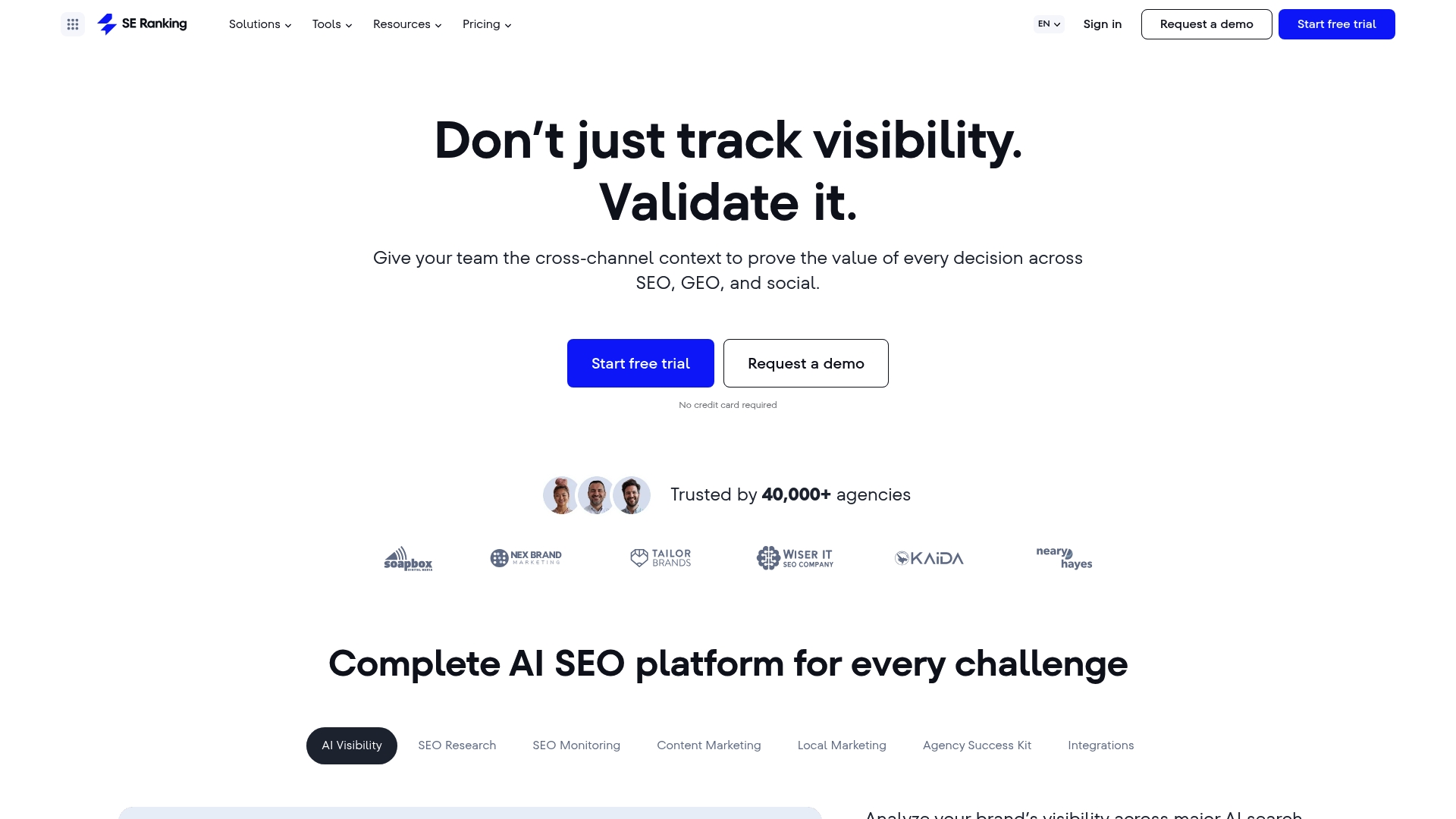
SE Ranking reports it is trusted by over 1 million SEO professionals worldwide. Its Core plan starts at $103.20 per month, with higher tiers and add-ons available. The product highlights AI powered visibility analysis, and direct API access for live data queries and automation.
Core Features
SE Ranking combines rank tracking, website audit, keyword research, backlink analysis, and competitor research into a single platform. It supports API access and live querying via MCP, and includes tools for local marketing, content work, and social media management for teams and clients. The platform also promotes visibility analysis across emerging AI search engines and social platforms.
Key Differentiator
The platform stands out for its emphasis on AI driven visibility analysis across new AI search platforms and its API first workflows. That focus targets teams that need machine readable data and automation rather than a primary tool for consolidating Google Search Console exports into large tables.
Pros
SE Ranking delivers a wide set of SEO capabilities that agencies and in house teams can run from a single account, reducing tool switching. Customer support is responsive and the interface remains approachable despite the scope of features. The product offers solid rank tracking accuracy and practical auditing tools, with flexible pricing tiers that scale up for agencies.
Cons
- Long standing users report price hikes that affect long term affordability.
- The interface can feel cluttered when many modules are active, which may slow onboarding for new users.
- Not every single tool matches best in class benchmarks, and some teams report mixed satisfaction with feature depth.
- Advanced capabilities require credits or add ons, which complicates budgeting and forecasting.
When It May Not Fit
If your team prefers an extremely simple start, SE Ranking may feel overwhelming because of its broad toolset. Organizations with tight fixed budgets may find credits and add ons increase total cost. If you need a single feature that outperforms specialist vendors, this platform may not meet that need.
Who It’s For
This product suits SEO professionals, digital marketing agencies, and enterprise teams that want an AI focused SEO platform with API driven automation. It fits teams that manage multiple clients and need rank tracking, auditing, and reporting in one place. It is less ideal for users who only need a narrow specialist tool.
Real World Use Case
A digital marketing agency uses SE Ranking to track client rankings, run site audits, and monitor backlinks across markets. The agency automates daily ranking reports with the API and MCP, which saves manual work. Teams also use the content and social tools to coordinate campaign tasks alongside SEO metrics.
Pricing
Core starts at $103.20 per month. Higher tiers and add ons such as Agency Pack, Local Marketing, and API credits increase cost as needs grow. API plans offer pay as you go or annual subscription options.
Website: https://seranking.com
Comparison of alternatives
SEO tools are essential for modern-day agencies and businesses aiming to optimize their clients’ online presence. This comparison delves into three products: SERPView, AccuRanker, and SE Ranking, emphasizing their distinctive features to highlight their best use scenarios.
Data volume and management capabilities
SERPView provides access to extensive datasets by offering up to 50,000 rows of Google Search Console exports, which notably surpasses the common 1,000-row limit in many tools. This characteristic is instrumental for agencies managing large volumes of data across multiple client sites. Additionally, its persistent filter presets and the inclusion of real-user Core Web Vitals data offer significant advantages for those looking to analyze technical performance alongside traffic trends. In contrast, while SE Ranking offers integration of various SEO tools into a single interface, some advanced capabilities require additional credits or add-ons, posing potential complications for budgeting.
Integration and automation potential
AccuRanker excels in data integration and automation through its extensive API and compatibility with systems like Data Studio, BigQuery, and Google Analytics. These features provide significant value for agencies requiring programmatically linked, streamlined workflows and deep automation of rank reporting processes. While SERPView also supports reporting workflows, AccuRanker caters particularly well to those leveraging integrated, large-scale reporting.
Best fit
- Agencies managing multiple client properties requiring extensive data analysis can utilize SERPView for its Search Console exports and advanced segmentation tools.
- SEO teams in search of solutions with superior integration options for third-party tools coupled with real-time rank updating should consider AccuRanker, excelling in data reporting and automation.
- Enterprises aiming to expand into new search platforms and social media optimization, while benefiting from a variety of SEO tools, would find SE Ranking particularly effective.
Our pick
SERPView stands out due to its capability to manage Google Search Console datasets exceeding standard limitations and its unique workflow features, such as persistent filter presets and consistent dashboard views. While AccuRanker and SE Ranking possess exceptional abilities for integration and SEO tasks, respectively, SERPView remains the choice for agencies handling complex multi-property analysis that warrants detailed filtering and large-scale reporting functionalities. However, if your workflow depends heavily on integration with external tools or you require advanced social media metrics, alternatives may serve you better.
Serpview and similar platforms support SEO professionals by offering advanced analytics and reporting features primarily tailored for keyword tracking and website optimization.
| Product | Key Differentiator | Best For | Pricing | Notable Limitation |
|---|---|---|---|---|
| Serpview | Larger GSC datasets with unified filters | Agencies managing multiple clients | Free, $39/month, $99 lifetime | Initial setup requires time and expertise |
| AccuRanker | Large keyword database with daily updates | Teams managing extensive keyword portfolios | Starts at $224/month | Costly for small-budget or entry-level users |
| SE Ranking | AI visibility analysis and API-first workflows | Enterprise teams seeking diverse features | Starts at $103.20/month | Credits/Add-ons may increase overall costs |
How to Overcome Data Limits in Rank Ranger Alternatives
If you manage multiple websites or client accounts, the 1,000-row limit in Google Search Console exports often blocks deeper keyword analysis. Serpview addresses this by offering up to 50,000 rows of data combined into a single dashboard. This means you get comprehensive insights without juggling multiple accounts or manual CSV stitching. With features like branded keyword separation, content grouping, and real-user Core Web Vitals, you can monitor both search trends and technical performance effectively.

SEO professionals and agencies tasked with large, multi-property reporting find Serpview’s persistent filter presets and white-label reporting save time and reduce errors. Visit Serpview to explore how you can access richer Google Search Console data and improve your monthly reporting workflows today.
FAQ
What is a key feature of Serpview for managing multiple properties?
Serpview allows users to centralize multiple properties into a unified dashboard for efficient management. This feature supports multi-property management, making it easier to compare clients and regions from one place.
How does AccuRanker compare to Serpview in terms of keyword tracking?
AccuRanker offers highly accurate daily rank tracking with an emphasis on speed and scale for large keyword portfolios. In contrast, Serpview extends Google Search Console data limits and offers deep segmentation tools for detailed cohort analysis, making it ideal for agencies managing multiple accounts.
What are the benefits of using Serpview’s persistent filters?
Persistent filters in Serpview carry across dashboards, ensuring that reporting remains consistent month to month. This workflow simplifies generating client reports and monthly audits without repetitive filter setup.
Is the interface of Serpview user-friendly for new users?
The interface of Serpview can feel complex for new users, requiring some time to learn filters and content groups effectively. Expect an initial setup phase to become proficient in using the platform effectively.
How does Serpview help with tracking branded vs. nonbrand performance?
Serpview includes branded keyword tracking that separates brand from nonbrand traffic, improving the accuracy of ranking and CTR analysis. This feature is particularly useful for SEO professionals looking to gain insights into organic performance metrics.
Recommended
Ready to unlock your full GSC potential?
SERPView helps you access all your Google Search Console data without limitations. Start your free trial today.
Get Started Free