
How Search Console Helps Business Growth in 2026
SERPView Team
SEO Analytics
TL;DR:
- Google Search Console provides free data on website performance in organic search, focusing on clicks, impressions, CTR, and position. Using this data helps identify keyword opportunities, improve messaging, and fix technical issues to increase traffic and revenue. Regularly reviewing and acting on Search Console insights enables sustained growth without relying on expensive tools.
Google Search Console is defined as a free Google platform that gives business owners direct data on how their site performs in organic search. Understanding how search console helps business growth starts with recognizing that it delivers four core metrics: clicks, impressions, click-through rate (CTR), and average position. Google Search Console combined with basic keyword tools provides up to 80% of the SEO value needed for business growth at minimal cost. That figure matters because it means most business owners do not need expensive enterprise platforms to compete. Serpview builds on this foundation by removing the data limits that hold GSC users back.
How does Google Search Console improve search traffic and business growth?
The Performance report inside Google Search Console is where most business growth opportunities hide. It shows you exactly which queries trigger your pages, how often users see your site, and how often they actually click. High impressions with low CTR signal a messaging problem, where your title or meta description fails to compel users to choose your page over others. Fixing that messaging costs nothing but time, and the payoff is direct.
One of the most underused tactics in search optimization is targeting “striking distance” keywords. These are queries where your page ranks in positions 11–20, meaning you appear on page two of Google results.
- Open the Performance report and filter by average position between 11 and 20.
- Sort by impressions to find queries with real search volume.
- Identify pages that match those queries and review the title, meta description, and on-page content.
- Update the title to match the query intent more directly.
- Add a paragraph that answers the query clearly near the top of the page.
Moving a page from position 12 to 6 can materially increase clicks without publishing any new content. That is a significant efficiency gain for small business owners who cannot afford to produce content constantly.
Pro Tip: Focus your CTR improvements on pages with commercial intent, such as service pages, product pages, and pricing pages, rather than blog posts with informational queries. Commercial pages convert visitors into customers, so even a 1–2% CTR lift translates directly into leads.

Visibility in search results matters more than ranking position alone. What counts is being surfaced and chosen by users. A page ranked fifth with a strong title often outperforms a page ranked second with a weak one.
What technical insights from Search Console protect your revenue?
Technical issues are silent revenue killers. Google Search Console monitors indexing status, mobile usability, Core Web Vitals, and sitemap health, giving you a direct view of problems that suppress your pages in search results.
Indexing problems caused by technical issues silently suppress revenue-generating pages. Common causes include theme updates, plugin conflicts, and sitemap errors. A product page that Google cannot index earns zero organic traffic, regardless of how well it is written.
Key technical areas to monitor in GSC:
- Index Coverage report: Shows which pages Google has indexed and which are excluded, blocked, or returning errors. Check this monthly for any new “Not indexed” alerts on commercial pages.
- Mobile Usability report: Flags pages with touch elements too close together, text too small to read, or content wider than the screen. Mobile usability issues directly reduce conversions because most users browse on phones.
- Core Web Vitals: Measures Largest Contentful Paint (LCP), Interaction to Next Paint (INP), and Cumulative Layout Shift (CLS). Google uses these as ranking factors, so poor scores cost you both rankings and user trust.
- Sitemaps: Submit your sitemap through GSC and monitor it for errors. A broken sitemap slows down Google’s ability to discover new or updated pages.
Pro Tip: Run a technical audit using GSC data every quarter. Set a calendar reminder and treat it like a financial review. Many businesses miss critical alerts that quietly damage rankings for months before anyone notices.
Prioritize fixing issues on your highest-traffic and highest-value pages first. A broken Core Web Vitals score on your homepage hurts more than the same issue on a low-traffic blog post from three years ago.
How to use Search Console data for content optimization and growth
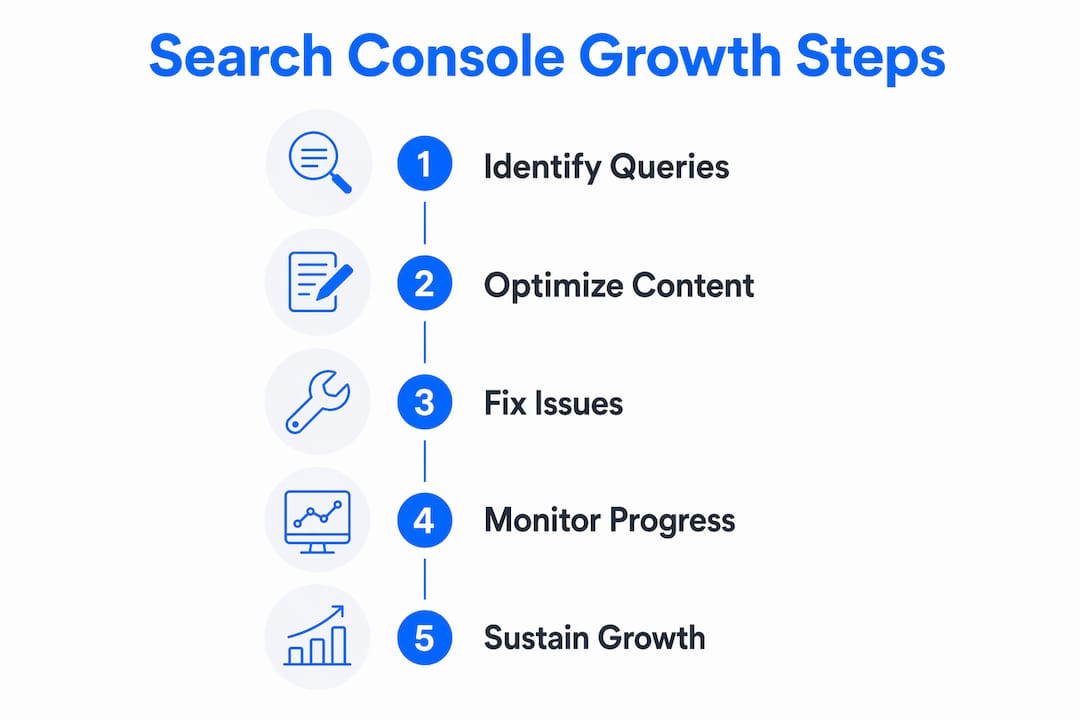
GSC query data tells you what real users type into Google before landing on your site. That information is the foundation of a content strategy that actually matches demand. You can also check search analytics for small business growth patterns to see how these signals translate across industries.
The most effective content approach combines query analysis with topic clustering. Here is how to build that system:
- Identify content gaps: Filter the Performance report by page, then click into individual pages to see all queries driving impressions. Queries with high impressions but no dedicated page on your site represent gaps you can fill.
- Build topic clusters: Group related queries around a central theme. Create or expand a pillar page that covers the theme broadly, then link supporting pages to it. Sites implementing content clusters see an average 40% increase in organic traffic compared to non-clustered strategies.
- Audit internal linking: Use GSC alongside a free site audit tool to find orphan pages. Audit for orphan pages by cross-referencing internal links and backlink profiles. Key commercial pages need internal links pointing to them from high-traffic content.
- Add structured data: Use structured data markup on product, FAQ, and review pages to qualify for rich results in Google search. Rich results increase CTR without requiring a ranking improvement.
| Content action | Expected outcome |
|---|---|
| Target striking distance queries | Faster ranking gains with minimal new content |
| Build topic clusters | 40% average organic traffic increase |
| Fix internal linking to commercial pages | Ranking improvements within weeks |
| Add structured data markup | Higher CTR through rich result eligibility |
Internal linking improvements can boost rankings within weeks with low effort and high impact. That makes it one of the best returns on time for business owners who want results without a large content budget.
Optimizing pages based on commercial intent queries stabilizes lead volume and reduces overdependence on paid ads. That shift protects your business when ad costs rise.
What workflows turn Search Console data into sustained growth?
Effective GSC use is a recurring operational rhythm, not a one-time setup. Business owners who treat it as a monthly practice outperform those who check it only when something breaks.
A repeatable monthly workflow looks like this:
- Export Performance data for the past 28 days and compare it to the same period the previous month. Look for pages where impressions rose but clicks dropped. That gap signals a CTR problem worth fixing.
- Review the Index Coverage report for new errors. Any commercial page flagged as “Not indexed” needs immediate attention.
- Identify positions 8–20 with commercial intent. Prioritize updating existing pages ranking between positions 5 and 20 on queries with commercial intent rather than creating new content.
- Check Core Web Vitals for any pages that dropped from “Good” to “Needs Improvement.” A slow page on a key landing page costs you both rankings and conversions.
- Review structured data status to confirm rich results are active on product and FAQ pages.
Businesses that use Search Console as an ongoing operational rhythm have more consistent SEO growth and better adaptability. Month-to-month comparative analysis validates whether your efforts are working and surfaces early warnings before problems compound.
Pro Tip: Pair your GSC workflow with a free SEO audit tool to catch on-page issues that GSC does not surface directly, such as duplicate meta descriptions or missing header tags. The combination covers both search performance and on-page health.
The most common mistake business owners make is focusing on vanity metrics like total impressions or overall ranking position. The metric that drives revenue is clicks on commercial intent pages. Track that number every month, and your workflow stays focused on what actually grows the business.
Key Takeaways
Google Search Console drives business growth by turning free search data into specific, repeatable actions that increase traffic, fix technical problems, and improve content performance.
| Point | Details |
|---|---|
| Target striking distance keywords | Pages in positions 11–20 with high impressions can reach page one with focused content updates. |
| Fix technical issues monthly | Index coverage and Core Web Vitals errors silently suppress revenue pages if left unchecked. |
| Build topic clusters | Sites using content clusters average 40% more organic traffic than non-clustered strategies. |
| Prioritize commercial intent | Optimizing service and product pages reduces reliance on paid ads and stabilizes lead volume. |
| Use GSC as a rhythm | Monthly reviews and data exports create consistent growth and catch problems early. |
Why most businesses are using Search Console wrong
Most business owners I talk to have Google Search Console connected to their site. Almost none of them check it more than once a quarter, and even fewer act on what they find. That is the real gap, not access to data, but the habit of using it.
The mindset shift that changes everything is treating GSC as a business dashboard, not an SEO tool. When you look at clicks on your service pages the same way you look at sales numbers, the data stops feeling abstract. A drop in clicks on your pricing page is a revenue signal. A spike in impressions for a query you do not rank for is a content opportunity.
I have also seen business owners obsess over rankings while ignoring CTR. A page ranked fourth with a 2% CTR is underperforming. The same page with a rewritten title could hit 6% CTR and triple its traffic without moving a single position. That is the kind of insight GSC hands you for free, and most people scroll past it.
The other thing I would push back on is the idea that you need more tools before you can grow. GSC combined with basic keyword tools covers the vast majority of what most businesses need until they cross 100,000 monthly organic visitors. Start with the data you already have. Act on it consistently. Add tools when you have outgrown what the free layer can show you.
— Utsav Chopra
Serpview takes your Search Console data further
Google Search Console gives you the foundation. Serpview gives you the full picture.

GSC caps your data at 1,000 rows and limits historical comparisons. Serpview removes those restrictions, giving you access to up to 50,000 rows of query and page data across multiple properties in a single dashboard. You can track performance by ranking tier, compare mobile versus desktop traffic side by side, and set custom annotations to mark site changes that affect your rankings. For business owners and marketers who want to act on GSC data without fighting its limitations, Serpview turns raw search analytics into clear, actionable search insights. Start with the Google Search Console glossary to build your foundation, then explore Serpview’s full feature set.
FAQ
What is Google Search Console used for in business?
Google Search Console is a free tool that shows how your website performs in Google search, including which queries drive traffic, which pages are indexed, and where technical issues exist. Business owners use it to find growth opportunities and fix problems that suppress organic traffic.
How does Search Console help increase website traffic?
Search Console identifies high-impression queries where your pages rank on page two. Optimizing those pages for the query intent can move them to page one and increase organic leads by around 40% within weeks.
How often should I check Google Search Console?
A monthly review is the minimum effective frequency. Check the Performance report, Index Coverage report, and Core Web Vitals each month to catch problems early and validate that your SEO efforts are producing results.
Do I need paid SEO tools if I use Search Console?
Not immediately. Google Search Console combined with basic free tools covers the majority of SEO needs for most businesses. Enterprise platforms become necessary only after you surpass 100,000 monthly organic visitors.
What is the difference between impressions and clicks in Search Console?
Impressions count how many times your page appeared in Google search results. Clicks count how many times a user actually visited your page. A large gap between the two signals that your title or meta description needs improvement to compel more users to click.
Recommended
Ready to unlock your full GSC potential?
SERPView helps you access all your Google Search Console data without limitations. Start your free trial today.
Get Started Free