
Search Analytics for Small Business: A 2026 Guide
SERPView Team
SEO Analytics

TL;DR:
- Search analytics helps small businesses measure their online visibility through search engine data. Combining tools like Google Search Console and GA4 reveals opportunities to improve rankings and conversions. Focusing on key metrics and behavioral data guides strategic content and marketing decisions.
Search analytics is defined as the practice of collecting and interpreting data about how users find your website through search engines, and it is the most direct way a small business owner can measure online visibility. Understanding search analytics for small business means knowing which keywords bring visitors, how often your pages appear in results, and whether those visitors take actions that grow your revenue. Tools like Google Analytics 4, Google Search Console, and Serpview give you that data in one place. This guide covers the metrics that matter, how to read them correctly, and how to turn raw numbers into decisions that improve your rankings and conversions.
What search analytics tools and metrics should small businesses focus on?
The right analytics tools for small business are Google Analytics 4, Google Search Console, and any platform that consolidates both. Each tool answers a different question, so using only one leaves you with an incomplete picture.

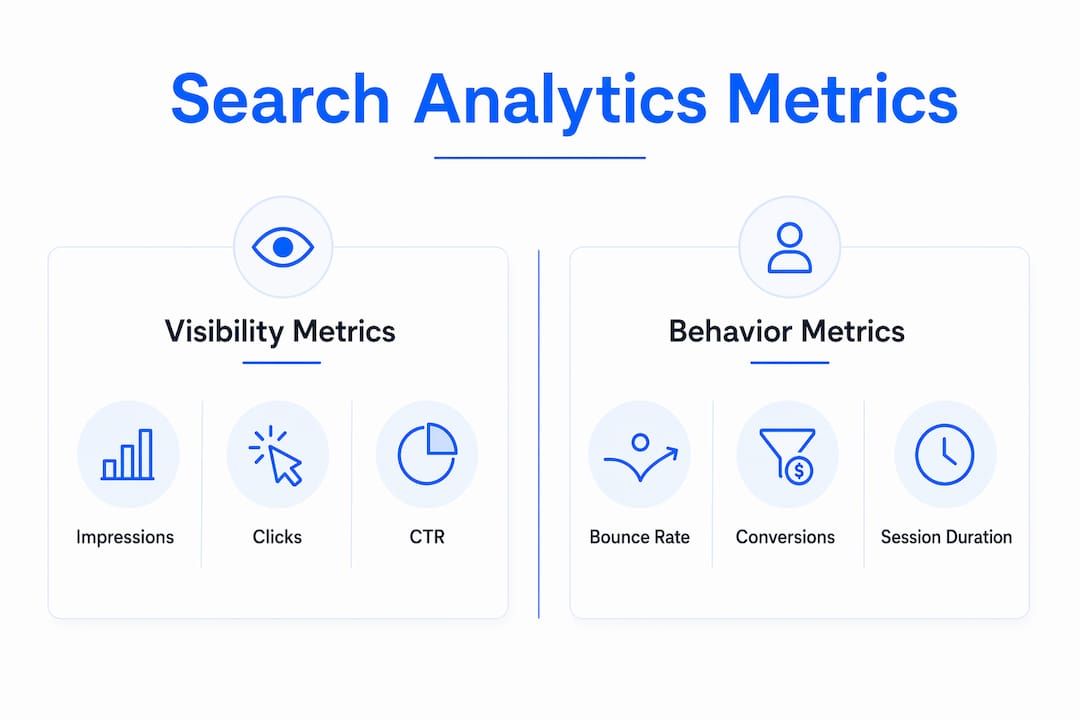
Google Search Console shows you search visibility data: impressions, clicks, click-through rate, and average position. It tells you how often Google shows your pages and how often users click. Google Analytics 4 (GA4) tracks what happens after the click: pages visited, time on site, and conversion events. Combining these tools gives you a complete view of performance that neither tool delivers alone.
Two lightweight alternatives worth knowing are Plausible and Umami. Both are privacy-focused platforms that simplify reporting for owners who find GA4 overwhelming. They track sessions, referral sources, and goal completions without the complexity of a full enterprise setup.
The metrics that matter most for a small business are:
-
Impressions: How many times your page appeared in search results
-
Clicks: How many users actually visited your page from search
-
CTR (click-through rate): The percentage of impressions that became clicks
-
Average position: Your typical ranking for a given query
-
Conversions: Phone calls, form submissions, direction requests, and purchases
Search positions 1–3 capture a 15–30% click-through rate, while positions 4–10 capture only 3–10%. That gap shows exactly why moving from page one, position seven to position two is worth more than doubling your ad budget.
One newer metric category you cannot ignore: AI search impressions. Google’s AI search reports, launched in june 2026, reveal how often your content appears inside AI-generated answers. Monitoring these impressions helps you understand whether your content is being cited by AI tools, even when it generates no direct clicks.
Pro Tip: Connect Google Search Console to GA4 inside the GA4 property settings. This links search visibility data directly to on-site behavior, so you can see which queries drive not just traffic but actual conversions.
| Tool | Primary function | Best for |
|---|---|---|
| Google Search Console | Search visibility and rankings | Impressions, CTR, keyword queries |
| Google Analytics 4 | On-site user behavior | Sessions, conversions, traffic sources |
| Serpview | Consolidated multi-property dashboard | Deep keyword analysis, extended history |
| Plausible / Umami | Simplified traffic reporting | Owners who want less complexity |
How do you collect and interpret search analytics data correctly?
Setting up data collection correctly is the foundation of every useful insight you will ever get. Skipping this step means your reports will mislead you.
-
Add your tracking snippet. Paste the GA4 measurement tag into every page of your website, either directly in the HTML or through Google Tag Manager. Without this, GA4 records nothing.
-
Verify Search Console ownership. Add your domain to Google Search Console and confirm ownership via a DNS record or HTML tag. This unlocks your full query and impression data.
-
Link the two properties. Inside GA4, go to Admin, then Search Console Links, and connect your verified Search Console property. This merges visibility and behavior data into one report.
-
Set up conversion events. In GA4, mark key actions as conversions: phone link clicks, form submissions, and direction request clicks. Raw traffic numbers mean little without these.
-
Check for data accuracy. Confirm your snippet fires on all pages using Google Tag Manager’s preview mode or the GA4 DebugView. A missing tag on your contact page means lost conversion data.
Google Search Console tracks visibility while GA4 tracks behavior. Think of Search Console as the front door counter and GA4 as the store camera. One tells you how many people walked past and came in. The other tells you what they did inside.
Tracking bottom-funnel actions is where most small business owners fall short. Phone calls, form fills, and direction requests are the metrics that connect directly to revenue. Pageviews and total visitors tell you almost nothing about whether your site is working.
Weekly or monthly trend reviews deliver more useful insights than daily tracking. Daily numbers fluctuate for reasons outside your control: algorithm updates, weather, local events. A monthly view shows you the real direction your performance is heading.
Pro Tip: Create a simple monthly reporting habit. Every first Monday of the month, pull your Search Console data for the prior 28 days and compare it to the same period from the previous year. Year-over-year comparison removes seasonal noise that month-over-month comparisons miss.
How to use search analytics insights to improve your marketing strategy
Search analytics insights become valuable only when you act on them. Here is how to translate data into decisions.
Identify high-potential keywords. Look for queries in Search Console where your average position is between 8 and 20 and impressions are high. These pages are close to the top of page one. Improving the content, adding internal links, or updating the meta title can push them into the top three positions where CTR jumps significantly.
Write better meta titles and descriptions. If a page has strong impressions but a low CTR, the problem is usually the title or description. Rewrite them to match the exact language users search for. A title that answers the query directly will outperform a clever one almost every time.
Use local SEO data to capture foot traffic. Mobile devices drive a 54% click-through rate for the Local Map Pack. That number tells you that local search presence on mobile is not optional for any business that depends on in-person visits. Monitor your Google Business Profile metrics alongside your website data to get the full picture.
Adjust spend based on traffic sources. GA4 shows you which channels drive converting visitors. If organic search sends visitors who fill out contact forms and paid search sends visitors who bounce, that is a signal to shift budget toward SEO content rather than ads.
Account for zero-click behavior. Many customers find contact info directly on Google and never visit your website. Your website click count will undercount your actual reach. Pull call and direction data from Google Business Profile to measure the full impact of your search presence.
Adapt to AI search behavior. High impressions in AI Overviews with no clicks signal that your content answers a query but does not prompt users to visit your site. Add clear calls to action, link to deeper resources, and structure content so AI tools include your URL rather than just your answer.
What are the most common search analytics mistakes small businesses make?
Most small business owners make the same set of errors when they start reading their analytics. Recognizing them early saves months of wasted effort.
-
Chasing vanity metrics. Pageviews and total sessions feel good to watch but rarely connect to revenue. Shifting focus to conversion metrics like phone clicks and form fills leads to better decisions.
-
Checking data every day. Daily fluctuations are noise. A single algorithm update or a rainy weekend can drop traffic by 20% for 48 hours. Weekly or monthly trend analysis removes that noise.
-
Ignoring Search Console’s data limits. Google Search Console shows only 1,000 rows of query data by default. If your site has broad keyword coverage, you are missing most of your search data without a tool that extends that limit.
-
Forgetting offline customer actions. Combining Google Business Profile data with website analytics uncovers the true ROI for local businesses. Calls and direction requests count as conversions even when they never touch your website.
-
Misreading AI impressions. Content that appears in AI Overviews but generates no clicks needs structural changes, not just keyword updates. The content strategy for AI search is different from traditional SEO.
-
Skipping year-over-year comparisons. Seasonal businesses especially need to compare the same month across years. Comparing december to november tells you nothing useful about whether your SEO is improving.
“The businesses that grow from analytics are not the ones checking their dashboards every morning. They are the ones who pick three metrics, review them monthly, and make one clear change at a time.”
Key takeaways
Search analytics works best when you combine visibility data from Google Search Console with behavior data from Google Analytics 4, then act on conversion metrics rather than traffic volume.
| Point | Details |
|---|---|
| Use both core tools | Google Search Console and GA4 together reveal what neither shows alone. |
| Track conversion actions | Phone clicks, form fills, and direction requests matter more than pageviews. |
| Review trends, not daily data | Monthly or weekly reviews surface real patterns without daily noise. |
| Account for zero-click searches | Google Business Profile data captures customers who never visit your site. |
| Adapt content for AI search | High AI impressions with no clicks signal a need for structural content changes. |
What I’ve learned from watching small businesses read their analytics wrong
Most small business owners I have worked with open their analytics dashboard, see a traffic number, and close the tab. They have no idea whether that number is good, bad, or irrelevant to their actual revenue. That gap between data and decision is where most digital marketing effort gets wasted.
The shift that changes everything is moving from “how many people visited my site” to “how many people called me, filled out my form, or walked through my door because of search.” Those are the numbers that connect to your bank account. Everything else is context.
I also think the arrival of AI search reports in 2026 is being underestimated by small business owners. If your content shows up in an AI Overview but generates no clicks, you are providing value to Google’s AI without getting traffic in return. That is a content strategy problem, not a keyword problem. The fix is adding specific calls to action and linking to deeper pages that AI tools will surface alongside your answer.
My honest recommendation: use the Serpview dashboard to get past Google Search Console’s 1,000-row data cap. Most small businesses have far more keyword exposure than Search Console shows them by default. Seeing the full picture changes which pages you prioritize and which keywords you target next.
Start with three metrics: CTR by page, conversion events by traffic source, and year-over-year impressions. Master those before adding anything else. Analysis paralysis is real, and it hits hardest when you try to track everything at once.
— Utsav
How Serpview helps small businesses get more from search data
Google Search Console is a strong starting point, but its default 1,000-row data limit means most small businesses see only a fraction of their actual keyword performance. Serpview addresses that directly.
Serpview consolidates data from multiple Search Console properties into one dashboard, expanding row access to up to 50,000 rows. You get extended data history, CTR reports by ranking tier, an AI Copilot for interpreting query patterns, and custom annotations to track site changes against performance shifts. The Google Search Console glossary on the Serpview site is also a practical reference for owners learning what each metric actually means. For small businesses ready to move beyond surface-level reporting, Serpview turns raw search data into a clear picture of what is working and what needs attention.
FAQ
What is search analytics for small business?
Search analytics is the process of measuring how users find your website through search engines, covering metrics like impressions, clicks, CTR, and average position. Small businesses use it to understand which keywords drive traffic and which pages convert visitors into customers.
Which tools do small businesses need for search analytics?
Google Search Console and Google Analytics 4 are the two core tools. Search Console tracks search visibility while GA4 tracks on-site behavior. Combining both gives a complete view of performance.
How often should a small business review its analytics data?
Weekly or monthly reviews are more useful than daily checks. Daily data fluctuates due to algorithm updates and external factors, while weekly and monthly trends reveal meaningful shifts in performance.
What is a good click-through rate for a small business website?
Pages ranking in positions 1–3 typically achieve a 15–30% CTR, while positions 4–10 see only 3–10%. If your CTR falls below these benchmarks for your ranking position, your meta title or description likely needs revision.
Why does my website traffic seem low even when my Google Business Profile gets activity?
Zero-click behavior means many customers find your phone number or address directly on Google and never visit your website. Tracking calls and direction requests from your Google Business Profile alongside website data gives you a more accurate measure of your actual search performance.
Recommended
Ready to unlock your full GSC potential?
SERPView helps you access all your Google Search Console data without limitations. Start your free trial today.
Get Started Free