
Seasonal Keyword Content Planning Examples: Templates & Calendar
SERPView Team
SEO Analytics
Seasonal keyword content planning examples follow one repeatable system: identify a predictable search peak, map a reusable content shell to that moment, and publish well before demand arrives. Three rules govern the timing. First, identify the moment and the audience intent behind it. Second, set your publish date 4–6 weeks before peak, with prep starting 2–3 weeks before that. Third, use a content shell you can update each year rather than building a new page from scratch. Tools like Google Trends, Google Search Console, and Serpview give you the data to execute all three steps with confidence.
Table of Contents
- How to build a seasonal keyword plan in six steps
- How do you find seasonal keywords before the peak arrives?
- How do you map seasonal keywords to an editorial calendar?
- Six industry examples you can adapt right now
- Which tools make seasonal planning repeatable?
- An editorial calendar example you can use today
- Key Takeaways
- The timing gap most teams underestimate
- Serpview makes seasonal keyword planning faster across every property
- Useful sources
- FAQ
How to build a seasonal keyword plan in six steps
- Schedule — Back-calculate from the peak week. For ecommerce content, publish a few months before the season starts. For B2B fiscal content, 6–8 weeks is usually enough.
Pro Tip: Batch your refresh work in quiet months. If your peak is November, schedule the refresh in August so you have time to build links before Google needs to re-rank the page.
How do you find seasonal keywords before the peak arrives?
The most reliable method layers historical data with current-year signals. Start with what you already own.
Pull your Google Search Console query report for the past 16 months and sort by month. Queries that spike in the same 4–6 week window every year are your confirmed seasonal keywords. Calculate a simple seasonality multiplier: divide peak-month impressions by the annual monthly average. A multiplier above 5x marks a highly seasonal keyword worth prioritizing in your budget and calendar.
Google Trends fills the gaps GSC misses, particularly for queries your site does not yet rank for. Enter a seed term, set the range to five years, and look for consistent annual peaks. The shape of the curve tells you whether the moment is growing, stable, or fading.
Beyond those two sources, autocomplete and People Also Ask data surface the specific angles searchers use during a season. Social listening on Reddit, TikTok, and Pinterest reveals emerging micro-trends 4–8 weeks before they show up in search volume. Combining these sources closes the blind spots that any single tool leaves open.
One practical constraint: regional and counter-seasonal markets behave differently. A “winter coat” keyword peaks in October in Chicago but in June in Sydney. If your audience spans multiple regions, segment your GSC data by country before drawing timing conclusions. You can find guidance on reading search intent shifts by season in Serpview’s glossary.
How do you map seasonal keywords to an editorial calendar?
Schedule all dates relative to the peak week before creating content. That single discipline separates teams that capture seasonal traffic from those that publish a day late.
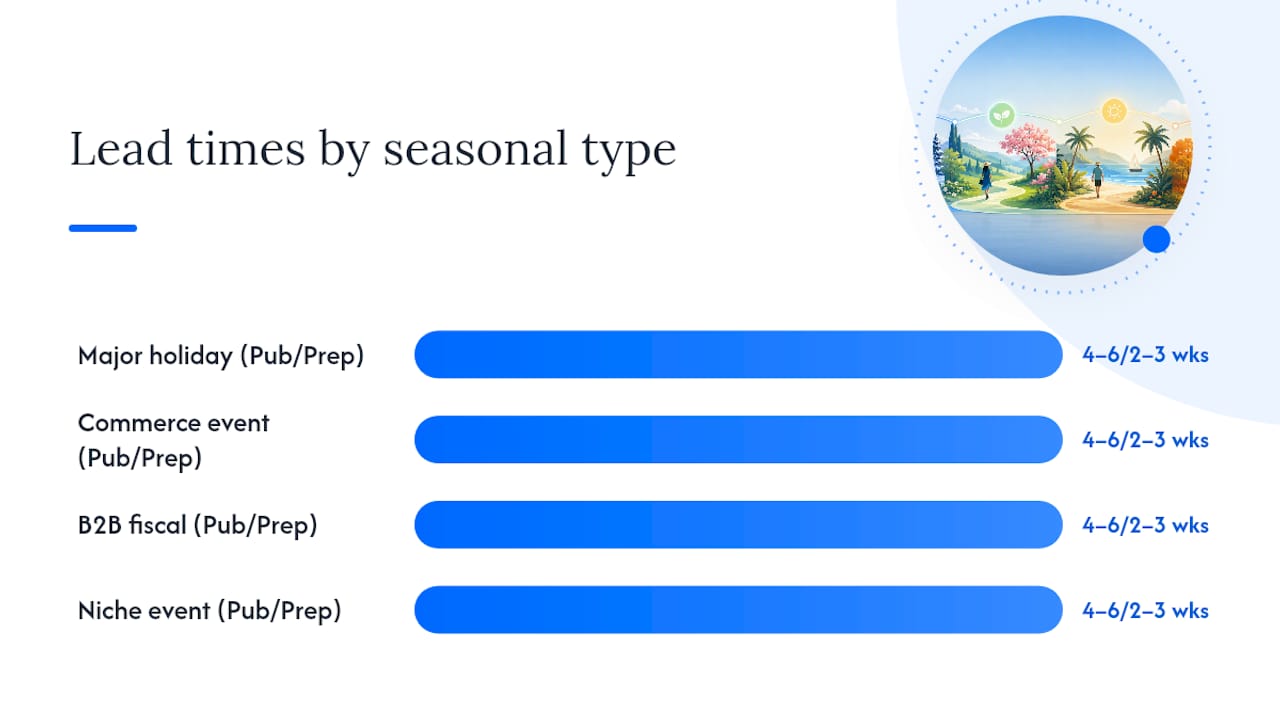
The table below shows recommended lead times by seasonal content type.
| Seasonal type | Publish before peak | Prep before publish |
|---|---|---|
| Major holiday (Christmas, Thanksgiving) | 4–6 weeks | 2–3 weeks |
| Commerce event (Black Friday, Prime Day) | 4–6 weeks | 2–3 weeks |
| B2B fiscal/budget season | 4–6 weeks | 2–3 weeks |
| Niche event (tax season, back-to-school) | 4–6 weeks | 2–3 weeks |
For a concrete example: a “best Christmas gifts for teens” page targeting a December 15 peak should publish by early November and enter production by early to mid-October. Promotion across email and social starts the week of publish, with a second push the week of November 1.
Your editorial calendar file needs these columns at minimum: moment, region, keyword cluster, publish date, prep date, format, owner, CTA, URL to update. A well-structured content calendar makes it easy to hand off seasonal tasks across a team without losing timing discipline. Apply the 3–6 month lead time rule for content where topical authority and backlink accumulation matter most.
Six industry examples you can adapt right now
Each snippet below includes sample keywords, a content shell title, the ideal publish window, and a sample headline.
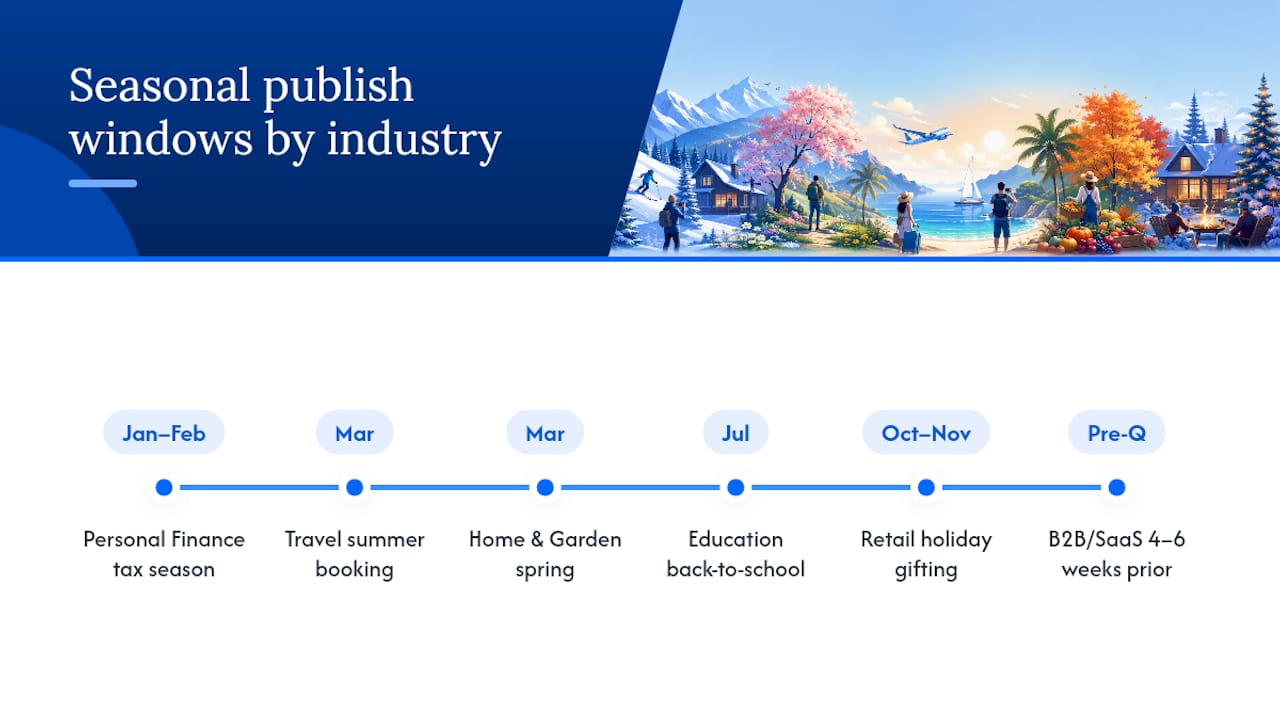
Retail / Ecommerce Core moment: Q4 holiday gifting. Seasonal keywords: best gifts under $50, holiday gift guide 2026, stocking stuffers for kids, Christmas gifts for her, last-minute gift ideas. Shell: “[Year] Holiday Gift Guide: [Category].” Publish window: late October or early November. Sample headline: “2026 Holiday Gift Guide: 40 Gifts Under $50 for Everyone on Your List.” Repurpose into email gift-list segments and short-form video product roundups. Update the product list and year each October; keep the URL.
Travel Core moment: summer booking season (searches peak February–April for summer trips). Keywords: best beach vacations 2026, cheap flights summer, family vacation ideas, where to travel in July, summer road trip routes. Shell: “[Year] Summer Travel Guide: [Destination/Theme].” Publish window: March. Sample headline: “Best Beach Vacations for Families in 2026: 12 Destinations Worth Booking Now.”
Personal Finance Core moment: tax season (January–April). Keywords: tax deductions for freelancers, how to file taxes 2026, best tax software, IRS deadline 2026, self-employed tax tips. Shell: “[Year] Tax Season Guide: [Audience].” Publish window: late January or early February. Sample headline: “Freelancer Tax Deductions in 2026: What You Can Actually Write Off.”
Education Core moment: back-to-school (July–August searches). Keywords: back to school supplies list, college dorm essentials, best laptops for students 2026, school supply checklist, dorm room ideas. Shell: “Back-to-School [Year]: [Category] Checklist.” Publish window: mid-July. Sample headline: “Back-to-School 2026: The Complete College Dorm Essentials Checklist.”
Home & Garden Core moment: spring planting and renovation (March–May). Keywords: spring garden ideas, best plants for beginners, outdoor furniture deals, spring cleaning checklist, vegetable garden layout. Shell: “Spring [Year] Home & Garden Guide: [Topic].” Publish window: late March. Sample headline: “Spring 2026 Vegetable Garden Layout Ideas for Small Yards.”
B2B / SaaS Core moment: Q1 budget planning and Q4 renewal season. Keywords: SaaS budget planning, software renewal checklist, Q1 marketing strategy, annual content audit, B2B content calendar template. Shell: “[Year] [Topic] Planning Guide for [Audience].” Publish window: 4–6 weeks before fiscal quarter start. Sample headline: “Q1 2026 Marketing Planning Guide: Budget, Content, and KPIs in One Place.”
For every industry, local seasonal keyword timing can shift the publish window by 2–4 weeks depending on your primary market’s geography and climate.
Which tools make seasonal planning repeatable?
The core workflow is: discover → validate → cluster → schedule → publish → monitor → refresh. Each step maps to a specific tool type.
- Google Search Console: Query-level intent signals and historical impression data. Use it to confirm which seasonal queries you already rank for and at what position.
- Google Trends: Timing validation and geographic segmentation. Use it to confirm peak weeks and spot year-over-year trend direction.
- Serpview: Multi-property query exports up to 50,000 rows, long historical trend ranges, and custom annotations to mark publish and refresh dates directly on your performance charts. Run three checks: (1) export all queries with a seasonal spike pattern across your properties, (2) pull the historical seasonality chart for your top clusters to confirm peak timing, and (3) export the workspace CSV for calendar handoff to your production team.
- Analytics platform: Conversion tracking and assisted revenue attribution during peak weeks.
Pro Tip: Set up a weekly Serpview export filtered to your seasonal keyword clusters. Schedule it to run every Monday from 8 weeks before peak through 4 weeks post-peak. That cadence catches ranking shifts early enough to act on them.
Serpview’s ability to consolidate data across multiple GSC properties without the 1,000-row cap is particularly useful for agencies managing seasonal campaigns across several client sites simultaneously. For teams standardizing keyword terminology across those properties, Serpview’s keyword glossary is a practical reference.
An editorial calendar example you can use today
The table below shows three sample rows from a working seasonal editorial calendar.
| Moment | Keyword cluster | Publish date | Prep date | Format | Owner | URL to update |
|---|---|---|---|---|---|---|
| Black Friday | best laptop deals Black Friday | September 15 | August | Listicle | Content lead | /black-friday-laptop-deals |
| Tax season | freelancer tax deductions 2026 | January 5 | December 15 | Guide | SEO writer | /freelancer-tax-guide |
| Back-to-school | college dorm essentials checklist | June 15 | May | Checklist | Content lead | /dorm-essentials |
Before publishing any seasonal page, run through this checklist:
- [ ] Title includes the current year and primary keyword
- [ ]
dateModifiedupdated in schema markup - [ ] Internal links from related evergreen pages point to this URL
- [ ] Meta description updated with the current year and a clear CTA
- [ ] Cross-channel promotion scheduled (email, social, paid) for publish week and one week before peak
- [ ] Redirect confirmed if URL changed (it should not have)
Key Takeaways
Seasonal content earns its highest returns when you publish several weeks before peak, reuse the same URL annually, and refresh only 30% of the content each cycle.
| Point | Details |
|---|---|
| Publish before peak | Publish seasonal content 4–6 weeks before the peak; ecommerce pages typically need 4–6 weeks of lead time. |
| Reuse URLs every year | Update the title year, product list, and schema dateModified on the existing URL — never create a new one. |
| Apply the 30% refresh rule | Update roughly 30% of the content each year: year references, products, and data points. |
| Measure in phases | Track indexing at weeks 0–2, ranking growth at weeks 3–8, conversions at peak, and decay at weeks 2–8 post-peak. |
| Use Serpview for multi-property checks | Serpview exports up to 50,000 rows across multiple GSC properties, making seasonal keyword discovery and monitoring faster across client portfolios. |
The timing gap most teams underestimate
Most seasonal planning guides focus on what to publish. The harder problem is when to start. Teams that plan Q4 content in July consistently outperform those that start in September, not because their content is better written, but because Google has had more time to index, accumulate engagement signals, and build ranking confidence before the peak week arrives.
The experiment worth running: pick one seasonal keyword cluster you currently publish 3–4 weeks before peak. Move the publish date to 10 weeks before peak for one cycle. Track ranking position at peak week and compare it to the prior year. The difference in organic clicks during that peak window is usually the clearest argument for earlier planning you will ever need to make to a stakeholder.
Serpview makes seasonal keyword planning faster across every property
If you manage seasonal campaigns across multiple client sites or business units, the manual GSC workflow breaks down quickly. The 1,000-row export cap cuts off the long tail exactly where seasonal keyword signals live. Serpview removes that ceiling, giving you up to 50,000 rows of query-level data across all your properties in one dashboard.

Three features matter most for seasonal work: long historical trend ranges that let you confirm multi-year peak patterns, custom annotations that mark publish and refresh dates directly on your performance charts, and pre-built reports that surface content decay and CTR benchmarks without manual assembly. For agencies, the white-label shared dashboard means clients see the seasonal performance data in a branded view without needing their own GSC access.
Start with Serpview’s Search Console dashboard to run your first multi-property seasonal keyword export and see which clusters are worth prioritizing this quarter.
Useful sources
- Seasonal Content Planning: Why July Is When You Prep Q4 — Slidy Creator
- Seasonal Content Strategy for Ecommerce | RunOctopus
- Keyword Seasonality: Guide to Seasonal Search Trends 2026 | KeyGroup
- Seasonal vs Evergreen Content: 2026 Strategy Guide |…
- Seasonal Keyword Planning Guide | ContentMation
- SERPView: Search Console Dashboard, Without the Limitations
- Keyword - SEO Glossary | SERPView
FAQ
How far in advance should you publish seasonal content?
Publish 4–6 weeks before peak for most seasonal content; ecommerce pages targeting major holidays need 4–6 weeks of lead time so Google has time to index and rank them before searches spike.
Should you create a new URL each year for seasonal pages?
No. Refresh the existing URL each year by updating the title year, product list, and schema dateModified. Creating a new URL splits your link authority and resets your ranking history.
What KPIs matter most for seasonal content performance?
Track impressions and indexing in weeks 0–2, ranking position and click growth in weeks 3–8, conversion rate at peak, and traffic decay in the 2–8 weeks after peak to decide whether a refresh is warranted.
How does Serpview help with seasonal keyword planning?
Serpview consolidates Google Search Console data across multiple properties into one dashboard with up to 50,000 rows of exportable query data, making it practical to spot seasonal keyword patterns across an entire site portfolio without hitting GSC’s standard export limits.
How many seasonal keywords should you target per content piece?
Cluster 3–8 closely related seasonal queries into one page rather than targeting each separately. This concentrates authority on a single URL and reduces the risk of keyword cannibalization across your seasonal content set.
Recommended
Ready to unlock your full GSC potential?
SERPView helps you access all your Google Search Console data without limitations. Start your free trial today.
Get Started Free