
How Search Analytics Filters Work for SEO Analysts
SERPView Team
SEO Analytics
TL;DR:
- Search analytics filters refine search data by applying criteria like date ranges and content types for focused insights. They enable strategic decision-making by isolating specific query segments that highlight market gaps, content opportunities, and revenue drivers. Proper design, regular audits, and understanding platform differences in RegEx handling ensure filters support accurate, actionable analysis.
Search analytics filters are tools that refine search data by applying criteria such as date ranges, content types, and custom patterns to isolate relevant subsets of performance data. Understanding how search analytics filters work is the foundation of any serious SEO or digital marketing practice. Filters let you move from a raw data dump to a focused view of what actually drives clicks, impressions, and conversions. Platforms like Google Search Console and Google Analytics 4 use filters as their primary mechanism for data segmentation. Without them, you are reading noise instead of signal.
How search analytics filters work: types and core mechanics
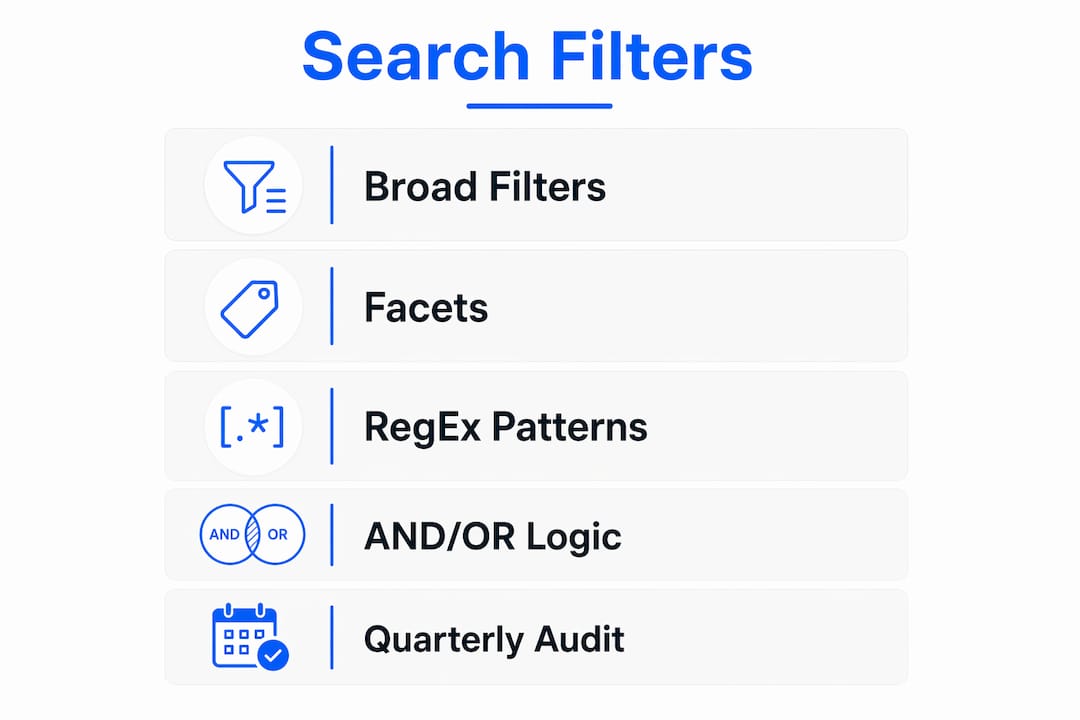
Search analytics filters fall into two broad categories: broad filters and facets. Broad filters apply a single dimension to your data, such as a date range, a device type, or a country. Facets are multi-dimensional attributes that let you narrow results across several criteria at once, such as filtering by query intent, content type, and ranking position simultaneously.

The distinction matters because broad filters and facets serve different analytical goals. A broad date filter tells you what happened in a given period. A faceted filter tells you what happened to a specific content type, on mobile, for branded queries, during that same period. That combination is where real insight lives.
Common broad filter types in search analytics include:
- Date range filters: Isolate performance data within a specific time window, such as the past 28 days or a custom quarter.
- Device filters: Separate mobile, desktop, and tablet traffic to compare mobile versus desktop performance patterns.
- Country filters: Restrict data to a specific geographic market, which is critical for international SEO.
- Search type filters: Distinguish between web, image, and video search results in platforms like Google Search Console.
- Query filters: Include or exclude specific keywords or keyword patterns from your data view.
Facets extend this logic by allowing multi-dimensional narrowing. An enterprise platform might let you filter by query intent, page template, and click-through rate range at the same time. Each additional facet narrows the dataset further, giving you a precise slice of performance data rather than a broad average.
Pro Tip: Avoid stacking more than four or five active filters at once. 2026 UX research shows that excessive filter options drive abandonment through interface complexity, even among experienced analysts.
How do regular expressions enhance search analytics filtering?
Regular expressions, commonly called RegEx, are pattern-matching strings that let you apply flexible, rule-based filters to search data. Instead of filtering for one exact query, you can filter for any query that matches a defined pattern. This is the most powerful filtering technique available in tools like Google Search Console and Google Analytics 4.
The critical thing to understand is that GSC and GA4 handle RegEx differently. Getting this wrong is the most common migration error SEO analysts make when moving filter logic between platforms.
Here is how the matching behavior differs:
- Google Search Console uses partial matching by default. A pattern like
/blogmatches any URL containing/bloganywhere in the string. You do not need anchors. - Google Analytics 4 requires full-pattern syntax. To match the same URLs in GA4, you need
.*\/blog.*to explicitly account for characters before and after the target string. - Special characters must be escaped in both platforms. A period (
.) in RegEx matches any character, so a literal period in a URL must be written as\.. - Anchors change behavior significantly. Using
^at the start of a pattern in GA4 restricts the match to strings beginning with that pattern, which is not the default behavior in GSC. - Test patterns before deploying. Use a RegEx testing tool to validate your pattern against sample data before applying it to a live filter in either platform.
| Platform | Matching type | Pattern for /blog URLs |
Anchor required? |
|---|---|---|---|
| Google Search Console | Partial | /blog |
No |
| Google Analytics 4 | Full | .*\/blog.* |
Yes |
Pro Tip: When migrating RegEx filters from Google Search Console to GA4, wrap every existing pattern with .* at the start and end. This single adjustment prevents the most common full-match failures without requiring a full rewrite.
How can search analytics filters drive strategic decisions?
Filters are diagnostic tools, not passive reporting features. The most valuable filters are those that trigger a defined business action rather than simply segmenting data for a dashboard view. This is the mindset shift that separates analysts who generate reports from analysts who generate revenue impact.
Filters expose the unfiltered voice of the market. Isolating question-based queries reveals what customers fear, what they do not understand, and where your product or content has gaps. That intelligence belongs in product roadmaps and sales playbooks, not just SEO reports.
Concrete examples of filters driving strategic decisions:
- Question query filters: Filter for queries containing “how,” “why,” “what,” or “can I” to surface customer objections and knowledge gaps. These filtered queries feed directly into content planning and sales enablement materials.
- Branded versus non-branded filters: Separate branded query performance from non-branded to measure true organic reach and identify where brand awareness is weak.
- Position-based filters: Filter queries ranking in positions 4–10 to find pages that need a targeted push to reach the first three results, where click-through rates rise sharply.
- Low CTR, high impression filters: Identify pages with strong visibility but weak click-through rate performance, signaling a title tag or meta description problem.
Linking filtered search data to CRM and pipeline metrics connects search performance directly to revenue. When you can show that a specific query segment drives qualified leads, budget allocation decisions become data-driven rather than opinion-driven. Search data also informs early-stage product decisions by highlighting demand language and competitive narratives visible through filtered query sets. The filter is the lens. The business decision is the outcome.
What are best practices for designing effective search filters?
Filter design determines whether your analytics practice produces reliable insight or misleading noise. The core tradeoff in every filter is sensitivity versus precision. A sensitive filter captures all relevant records but admits irrelevant ones. A precise filter excludes noise but risks missing important signals. Neither extreme is correct. The goal is calibration.
Practical best practices for search analytics filter design and management:
- Display active filters clearly. Every active filter should be visible and dismissible in one click. Hidden or stacked filters cause analysts to misread data without realizing a filter is active.
- Use AND/OR logic deliberately. Filter logic in analytics platforms applies AND logic across different filter types and OR logic within a single filter type. Adding a country filter AND a device filter narrows results. Adding two countries within one filter broadens results to include either country.
- Audit filters on a regular schedule. Regular audits prevent filter drift, where unintentional exclusions quietly reduce the quality of your insight over time. This is especially critical in enterprise environments where multiple analysts manage shared filter sets.
- Document every custom filter. Record the purpose, logic, and expected output of each filter in a shared reference. Undocumented filters become liabilities when team members change.
- Avoid filter overcomplexity. Limit the number of simultaneous active filters to what the analysis requires. Complexity beyond that point reduces usability and increases the chance of misinterpretation.
Pro Tip: Schedule a quarterly filter audit as a standing calendar item. Review each custom filter against recent data to confirm it still captures the intended segment. A filter built for a site structure that no longer exists is actively misleading your search analytics insights.
Key Takeaways
Search analytics filters work best when they are treated as strategic diagnostic tools that trigger specific business actions, not passive data slicers.
| Point | Details |
|---|---|
| Broad filters vs. facets | Broad filters apply one dimension; facets combine multiple attributes for precise segmentation. |
| RegEx platform differences | GSC uses partial matching; GA4 requires full-pattern syntax with explicit wildcards. |
| Filters as strategic tools | Filters that trigger documented actions drive revenue impact, not just reporting. |
| Sensitivity vs. precision | Every filter trades off between capturing all relevant data and excluding irrelevant noise. |
| Regular audits are required | Quarterly filter reviews prevent drift and maintain data quality in shared analytics environments. |
Filters are strategic tools, not reporting checkboxes
I have reviewed search analytics setups across dozens of organizations, and the pattern is consistent. Teams spend weeks building filter configurations and then use them only to generate the same weekly report. The filters sit there, doing the minimum, while the most valuable signals they could surface go unread.
The question-query filter is the clearest example of wasted potential. Isolating queries that start with “how,” “why,” or “can” takes about 30 seconds to set up in Google Search Console. What it reveals is a direct transcript of customer anxiety and product confusion. I have seen that single filter surface product gaps that a six-month customer research project missed. The data was always there. Nobody was looking at it through the right lens.
The other mistake I see regularly is treating filter logic as a one-time setup task. Filters built against a site structure from 18 months ago often exclude entire content categories that were added since. Nobody notices because the dashboard still populates. The numbers look normal. But the insight is incomplete. A quarterly audit, even a 20-minute review, catches this before it compounds.
My honest advice: treat every filter you build as a hypothesis. Define what you expect it to show. Then check whether it actually shows that. If it does not, fix the filter or fix the hypothesis. Either outcome makes your analytics practice stronger. Passive filter management is not analytics. It is data theater.
— Utsav Chopra
Serpview’s filtering tools for deeper SEO insight
Serpview addresses one of the most common frustrations in search analytics: the inability to see enough data to make filters meaningful. Google Search Console caps standard exports at 1,000 rows. Serpview removes that ceiling, giving you access to up to 50,000 rows of data in a single view.

That scale changes what filters can do. When you apply a position-based filter or a query-intent segment across 50,000 rows instead of 1,000, the patterns that emerge are statistically reliable rather than anecdotal. Serpview’s custom annotations feature lets you mark site changes directly on your performance timeline, so filtered data always has context. The query counting by ranking tier feature segments query volume by position bracket, turning a broad impression count into a precise diagnostic. For teams sharing filtered views across departments, Serpview’s shared dashboard keeps everyone working from the same data without requiring platform access for every stakeholder.
FAQ
What is the difference between a filter and a facet in search analytics?
A filter applies a single dimension to your data, such as a date range or device type. A facet combines multiple attributes simultaneously, allowing multi-dimensional narrowing of results for more precise analysis.
Why do RegEx filters behave differently in Google Search Console and GA4?
Google Search Console applies partial matching by default, so a pattern matches any string containing it. GA4 requires full-pattern syntax, meaning you must explicitly account for all characters before and after your target string using wildcard constructs like .*.
How often should you audit search analytics filters?
A quarterly audit is the minimum standard for maintaining filter data quality. Enterprise environments with multiple analysts managing shared filter sets benefit from monthly reviews to catch unintentional exclusions early.
How do search analytics filters support business decisions?
Filters isolate specific query segments, such as question-based or low CTR queries, that reveal product gaps, content opportunities, and budget priorities. The most effective filters trigger a documented business action rather than a passive data view.
What is AND/OR filter logic and why does it matter?
AND logic applies across different filter types, narrowing your dataset with each addition. OR logic applies within a single filter type, broadening results to include any matching value. Misunderstanding this distinction produces datasets that are either too narrow or too broad for reliable analysis.
Recommended
Ready to unlock your full GSC potential?
SERPView helps you access all your Google Search Console data without limitations. Start your free trial today.
Get Started Free